Knowledge on the rail is your campaign wiki — Fablekeep calls it the Archive. Every NPC, faction, magic item, god and legend gets a page; pages link to each other with @, and you decide, page by page, what the players know.
The Archive
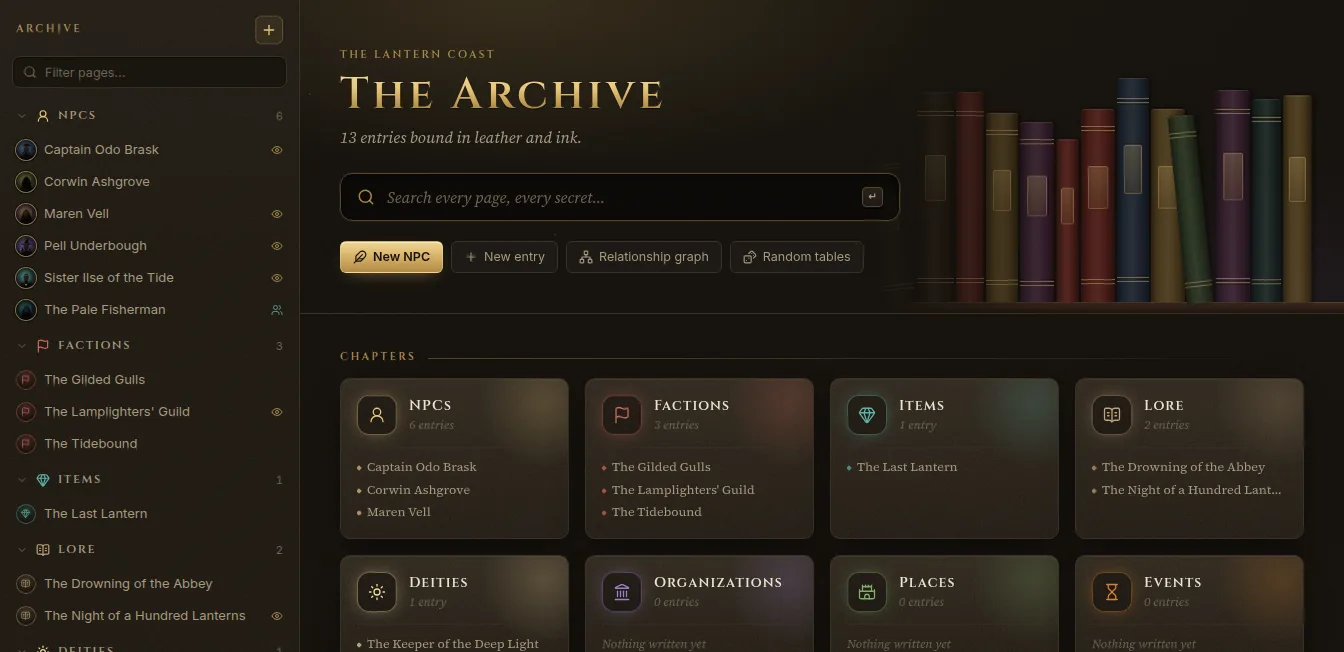
Open Knowledge on the rail. The Archive page has:
- a search box that looks through every page, alias and line — secrets included (search results never leave your screen);
- New NPC, New entry, Relationship graph and Random tables;
- Chapters — one card per kind of entry, with the latest pages of each;
- Pinned pages, Recently inked pages and Tags.
The column on the left lists every page by kind. Type in Filter pages… to narrow it down.
Kinds of entry
| Kind | For |
|---|---|
| NPC | A face the party will meet |
| Faction | Power, goals and grudges |
| Item | Treasure, relic, curio |
| Lore | Legends, rumours, truths |
| Deity | Gods and their faithful |
| Organization | Guilds, temples, orders |
| Place | Cities, taverns, ruins |
| Event | History and happenings |
| Note | Anything else worth keeping |
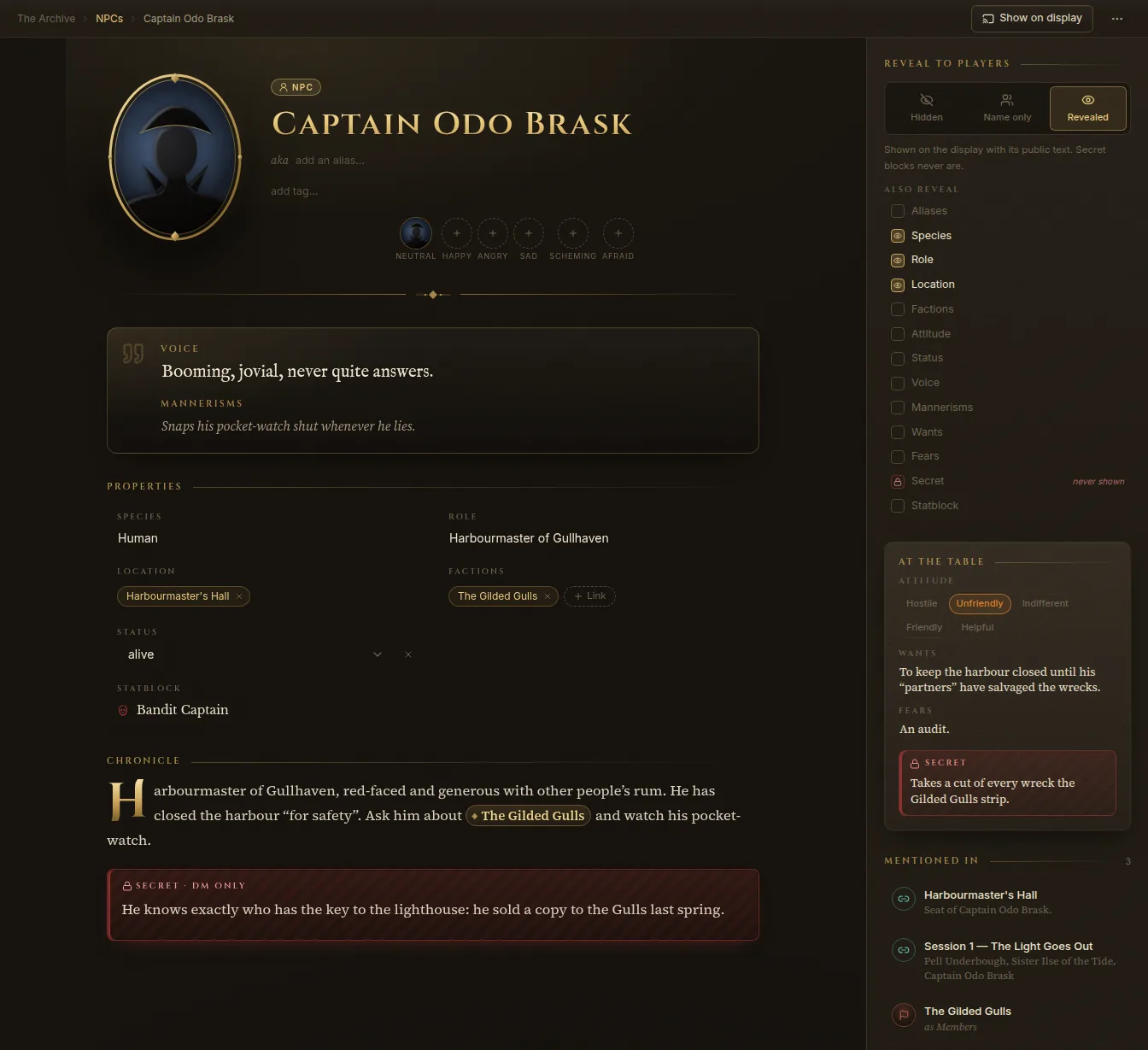
Each kind has its own Properties. An NPC has species, role, location, factions, attitude, status, a statblock — and, for running them at the table, Voice, Mannerisms, Wants, Fears and a Secret. A faction has a leader, headquarters, members and goals; an item has rarity, attunement and value; lore has a veracity (true, partly true, false).
Create a page
- Click New entry (or New NPC), or press Ctrl+K and type “new”.
- Give it a Name and choose the Kind of entry. Everything else can wait.
- Click Create (the button names the kind, such as Create NPC).
To file a page under another — a tavern under its city, say — use Add sub-page in the page’s More menu. The same menu has Pin to the index, Duplicate, Change type and Delete entry.
Write a page
The page has a title, aliases (“aka”), tags, a portrait, the properties, and the Chronicle — the free text. Everything saves as you type.
In the Chronicle:
- Type
/to insert a block: headings, lists, a Quote, a Read-aloud box, a Secret block, a Random table, a Statblock, an Image, a Table, a Divider. - Type
@to link another page — an NPC, a place, a quest. If it doesn’t exist yet, you can create it right there. - Select text for bold, italic, links, or to turn it into a read-aloud box or a secret block.
Secrets and read-aloud text
- A Secret block is for your eyes only. It is never sent to the TV or to players, even when the page is revealed.
- A Read-aloud box holds boxed text to read to the table. Its Show on TV button puts the text on the TV.
NPCs at the table
Under At the table, an NPC’s voice and mannerisms sit at the top of the page so you can perform them at a glance. An NPC can have several portraits, one per mood — Neutral, Happy, Angry, Sad, Scheming, Afraid — used when the NPC speaks on the TV (see Handouts and title cards).
Links, backlinks and relationships
- Mentioned in lists every page that links here.
- Relationships records ties between entries: Ally, Rival, Enemy, Family, Member, Employer or Other, with a strength from Hatred to Devoted and a label (“old flame”, “debt of honour”). Click Add relationship, pick who it’s With, and click Bind them.
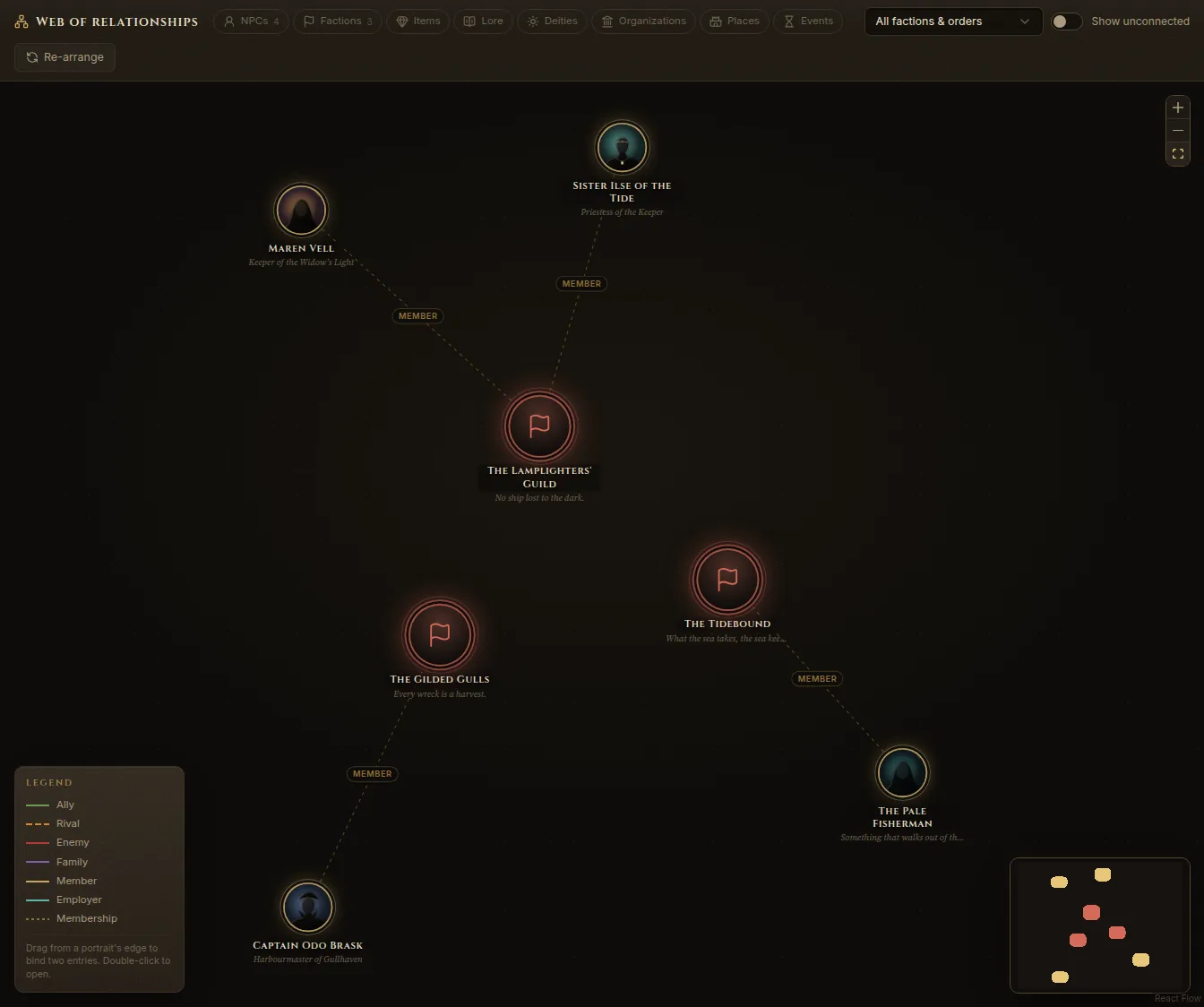
- Relationship graph (on the Archive page) draws the whole web. Filter by kind or faction, drag from a portrait’s edge to bind two entries, double-click to open a page.
Reveal to players
Each page has a Reveal to players panel for the current campaign:
- Hidden — the players know nothing of it.
- Name only — they know the name, nothing more.
- Revealed — they can see it, with its public text. Secret blocks never are.
Under Also reveal, tick the properties players may see (species, role, location…). Secret is marked “never shown”.
Revealed pages appear on the players’ devices (What you know on the phone companion).
Show it on the TV
Click Show on display at the top of a page to put its card on the TV: the portrait, the name, and what you’ve revealed. If the page is still hidden, Fablekeep asks first and offers Reveal & show. Secret blocks and secret fields stay hidden.