Stuck? Most snags have a quick fix in Troubleshooting and FAQ. If that doesn’t help, we’re happy to.
Write to us
Email support@fablekeepvtt.com. You can write in English or Spanish.
You can also ask other DMs in the Fablekeep Discord. Never post your licence key there.
What to include
The more of this you send, the faster we can help:
- What happened, and what you expected instead. The steps that lead to it, if you can repeat it.
- Your Fablekeep version. It’s in Settings → About, next to the Fablekeep name.
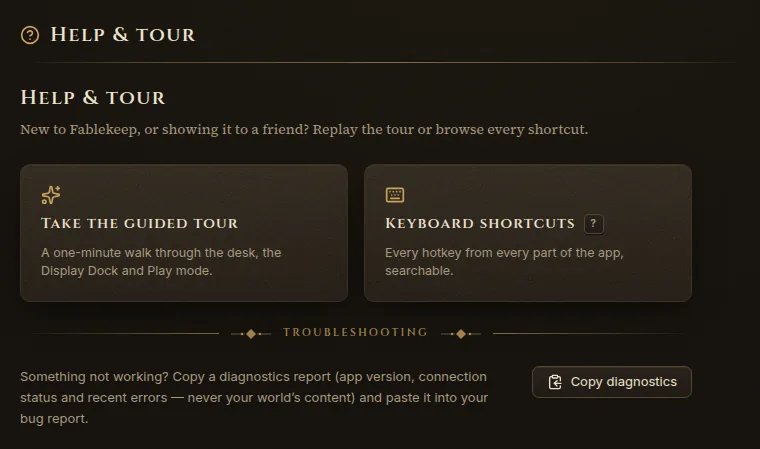
- A diagnostics report. Go to Settings → Help & tour and click Copy diagnostics, then paste it into your email. It contains the app version, the connection status and recent errors — never your world’s content. You can also press Ctrl+K and run Copy diagnostics, or use the button on the error screen if Fablekeep crashed.
- The log file, for crashes and connection problems. In Settings → About, click Open logs and attach
fablekeep.log. - A screenshot, if something looks wrong.
Licence keys and purchases
- Lost your key? It’s in the email with your purchase receipt. You can also see all your orders at creem.io/my-orders — sign in with the email you bought with. Still nothing? Write to us.
- All your computers are in use? Free one in Settings → Licence, or see Install and activate.
- Computer without internet? We can send you an offline activation code. See Install and activate.
- Refunds. If Fablekeep doesn’t work for you, or isn’t what we described, ask for a refund within 14 days of buying. The details are in our refund policy.