When the party sets off, Fablekeep can do the bookkeeping: the route, the days on the road, where they camp, the weather, random encounters — and the clock, the fog and the party’s position follow along. On the TV, the players watch their road unroll across the map.
Open the travel planner
Press Ctrl+Shift+V, click Plan a journey on the quick tools rail, or choose Travel here on a hex, a place or a region. The Travel planner opens.
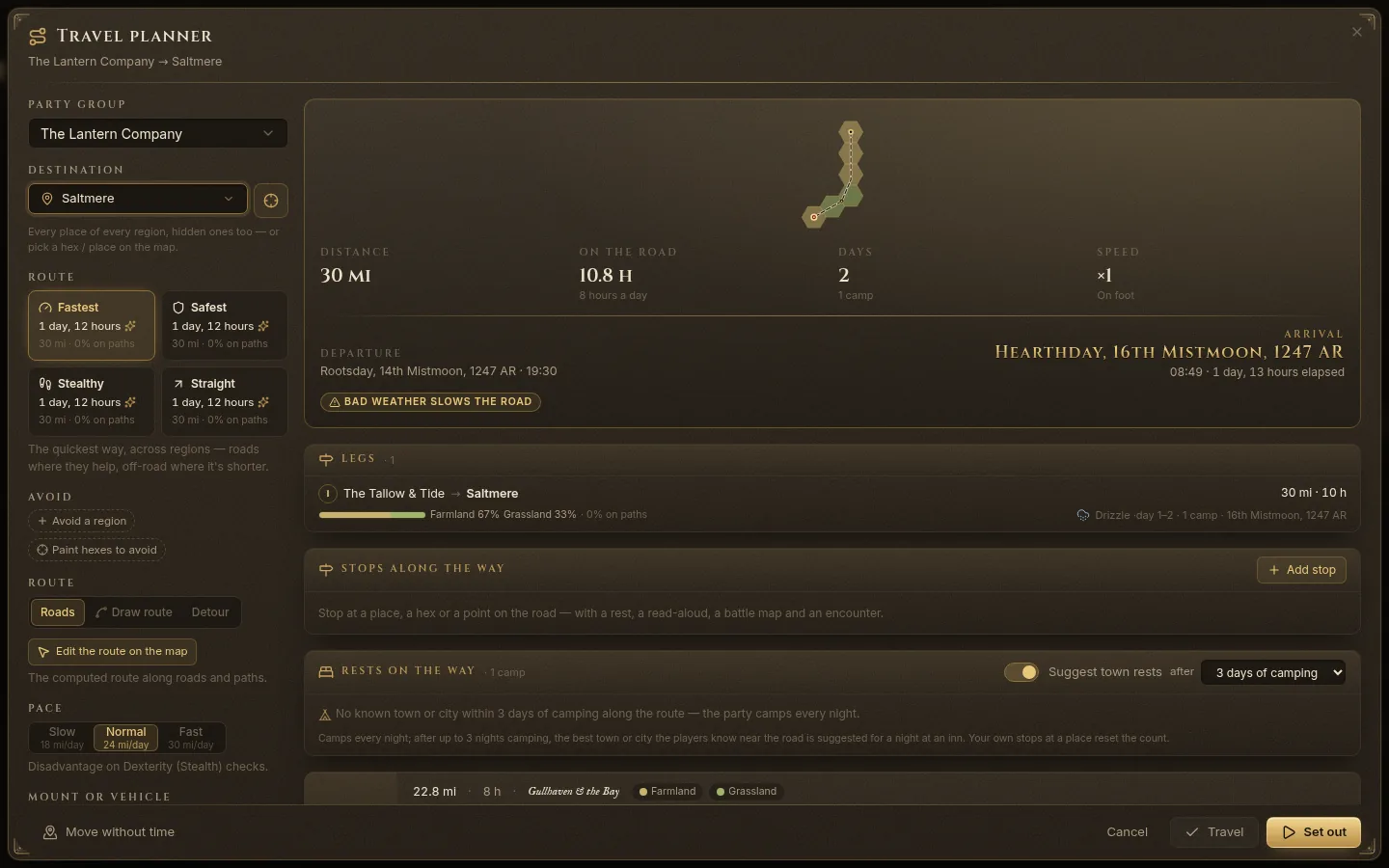
Plan the route
- Under Party group, choose who travels. (If the party has split up, each group travels on its own.)
- Under Destination, choose a place — every place of every region is listed, hidden ones too — or click the target button to pick a hex or a place on the map.
- Choose how the route is found:
- Fastest — the quickest way, roads where they help, off-road where it’s shorter;
- Safest — keeps to roads and paths;
- Stealthy — gives settlements a wide berth and avoids the main roads;
- Straight — the most direct line over the terrain. Each option shows its time and how much of it is on paths.
- Avoid — Avoid a region, or Paint hexes to avoid on the map.
- Route — Roads (the computed route), Draw route (draw the whole way by hand — a shortcut over the mountains) or Detour (leave the road for a stretch and rejoin it). Edit the route on the map lets you drag points of the line.
- Choose the Pace (Slow, Normal, Fast, with miles per day) and the Mount or vehicle: On foot, Horse, Wagon, Boat, Ship, Airship or Boat + land.
- Forced march adds extra hours a day — each one asks for a Constitution save or a level of Exhaustion.
The right side shows the result: distance, hours on the road per day, days, camps, departure and arrival date, plus warnings (impassable terrain, bad weather slowing the road, rations running out). Legs shows each stretch with its terrain and weather.
Options
- Apply travel time to the clock — the campaign clock moves on as they travel.
- Set out at first light — start at dawn instead of right now.
- Roll weather for each day and Bad weather slows travel.
- Roll random encounters, Per day or Per watch. Rolled encounters appear in the plan with Reroll, Accept or Ignore, and you can Force an encounter on a quiet day.
- Track rations & water.
- Show read-aloud texts on the TV — off by default, so you can narrate yourself.
Stops and rests
Stops along the way — click Add stop to stop at a place, a hex or a point on the road. A stop can have a rest (Halt, Short rest, Long rest), lodging (Camp or Inn), the time spent, a read-aloud for the TV, a DM note that never reaches the TV, an encounter and a battle map.
Rests on the way — with Suggest town rests on, after a few days of camping the planner suggests a night at the best town or city the players know near the road. Click Keep to make it a stop. Passed on the way lists the places the route passes, with Reveal to the players, Add as a stop or pass-through.
You can also add a Scene at camp for a night: a battle map, a read-aloud and a note; the journey pauses there.
On the TV
Under On the TV: the Title of the journey, its speed (seconds per travel day), Reveal hexes as the party passes, Music on the road and Ambience at night in camp.
Go
At the bottom of the planner:
- Set out — starts the journey and puts it on the TV.
- Travel — applies the whole trip at once (clock, weather, position) without the cinematic.
- Move without time — just moves the group there; no time passes.
Show the route sheet
Before or during a trip, Show route sheet on the TV puts a schematic of the road on the TV: stops, distances, days, terrain and weather. There’s no map, and nothing the players don’t know — unknown places are left unnamed.
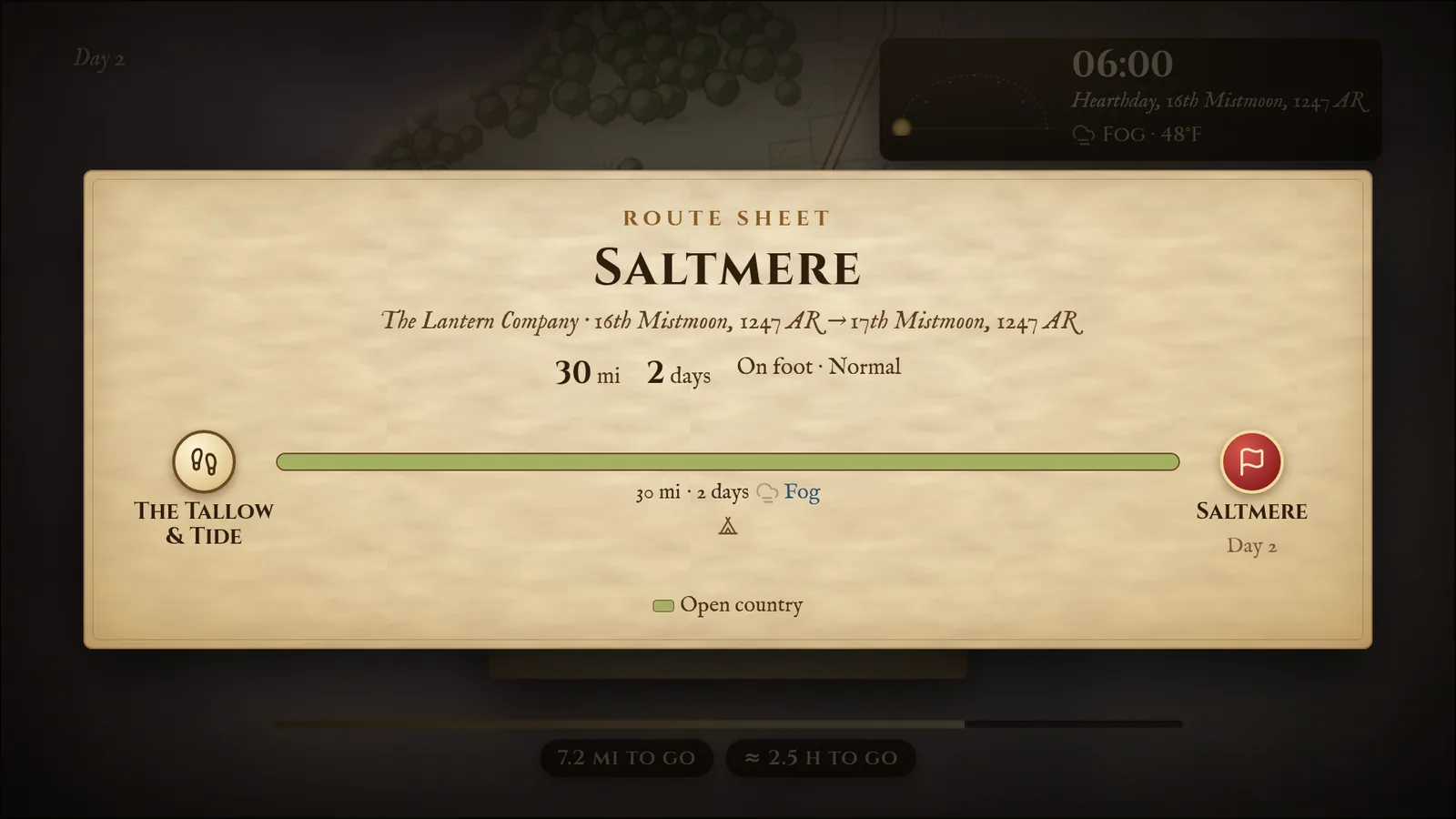
The journey on the TV
When you click Set out, the TV shows the travel map with the party’s road. Each new day opens with a card (“Day 2”), the clock and weather sit in a corner, and the bar at the bottom shows how far is left. As the party moves, the fog lifts along the way (if you chose to reveal hexes), the clock and weather follow, and the party’s marker moves along the road.
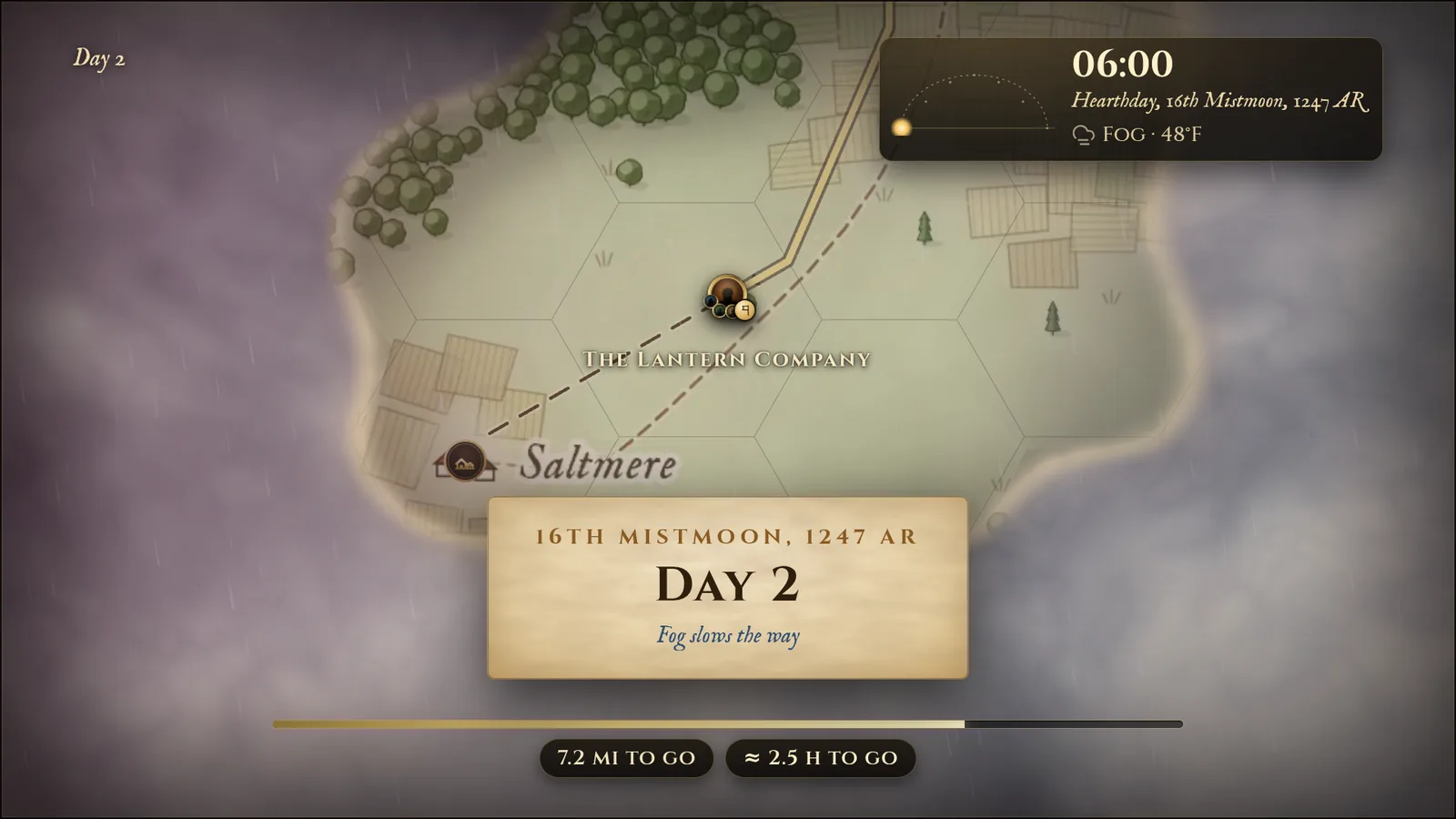
The Journey Runner
The journey doesn’t play by itself unless you want it to. A Journey bar appears above the Display Dock, with the Journey runner under it.

- +1 watch, +1 day, or a number of days — step the journey forward. By watch / By day chooses the unit; the timeline shows the watches of each day (night, morning, afternoon, evening). Click a watch to advance straight to it.
- Next stop and Go to end.
- Autoplay — plays on the TV at the chosen speed (5–20 seconds per day) To next stop or To the end. Going to the end, it pauses at stops with an encounter, battle map, read-aloud or rest, and at watches you flagged (right-click a watch).
- Animate on TV — off to jump straight to the result.
- Make camp — here, on the road: time of day, a rest, the weather, an encounter at camp and a camp battle map (Fablekeep suggests ones that fit the terrain). Make camp and show the map puts it on the TV; night camps go dark and light the map’s campfires.
- Encounter — pick an existing encounter, Roll the table of the terrain under the party, or make a quick one, then run it in the encounter tracker.
- Note — a note for the campaign timeline, with an optional read-aloud on the TV.
- Clock / Dawn / Day / Dusk / Night — the time of day for this step, independent of the clock.
- Undo last step and Redo, and Rewind in the Journey log — undo exactly: clock, party position, reveals, weather and rests go back as they were.
The bar above has Pause here and show a battle map…, Change course… (rejoin the road, a new way to the same place, or a new destination), Arrive now, Save and hide (resume later from Journeys under way in the planner) and Cancel journey.