The character creator builds a complete character with the 2024 rules and the SRD 5.2 options: classes, subclasses, backgrounds, species, feats, spells and equipment. It works out the numbers for you and tells you what’s still missing.
Open it from Party → New character. Players who join from their phones use the same creator and send the result to you (Send to the DM).
The steps
The steps are listed on the left; you can jump between them at any time. The summary on the right (hit points, AC, initiative, speed, ability scores) updates as you choose, and shows how many choices are still open.
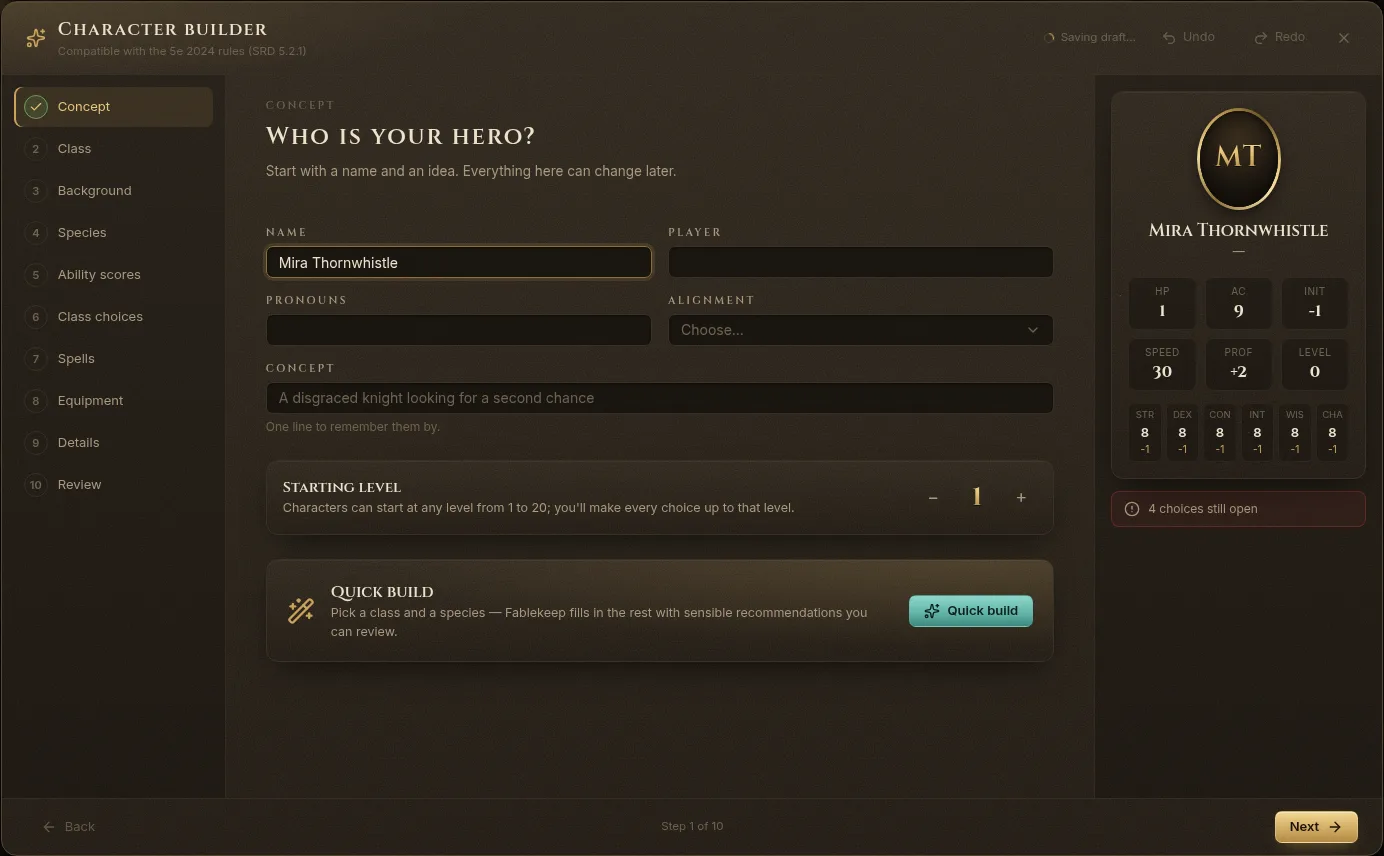
- Concept — Name, Player, Pronouns, Alignment, a one-line Concept, and the Starting level (1 to 20; you make every choice up to that level).
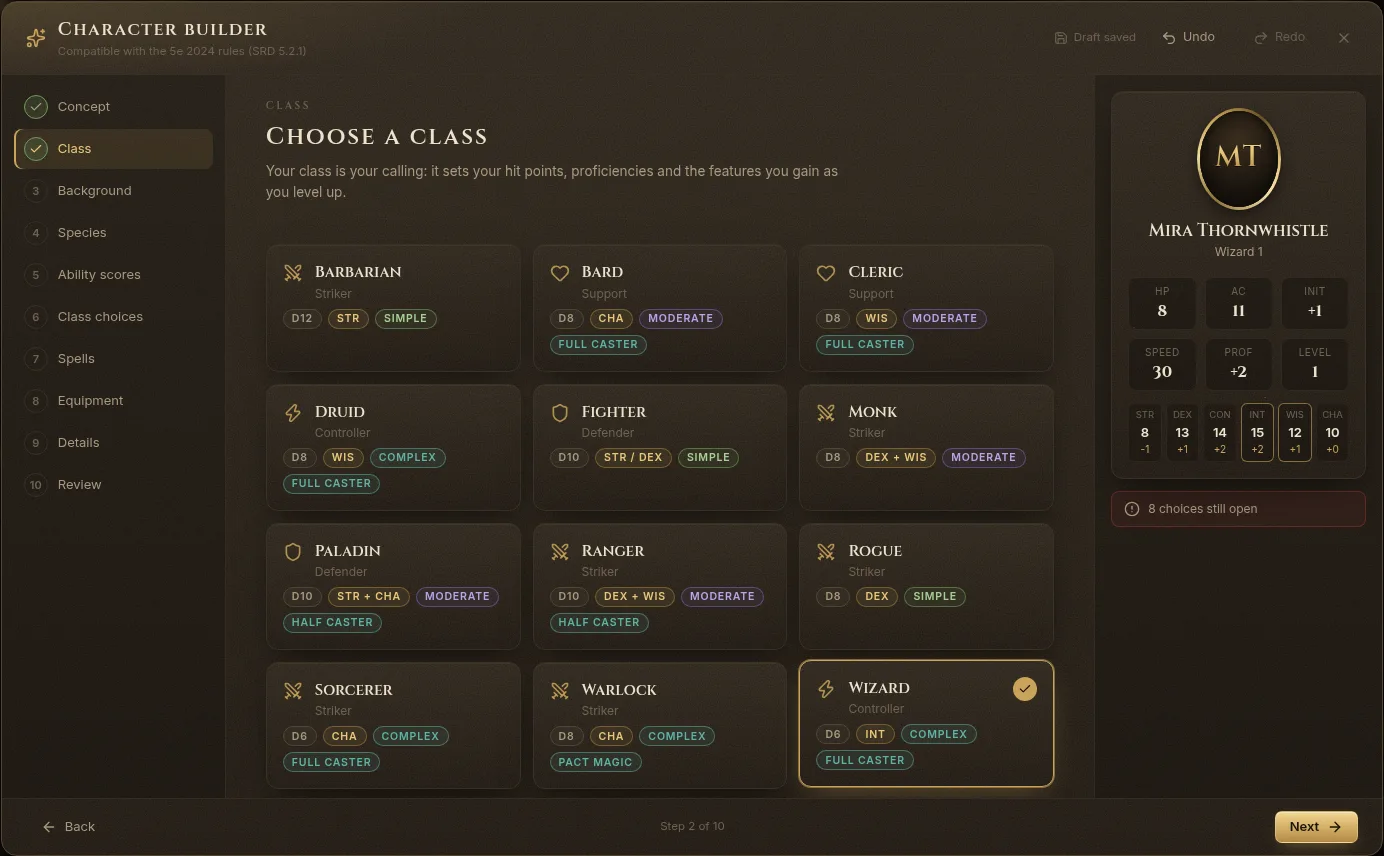
- Class — each class shows its hit die, main abilities, role, complexity and whether it casts spells. Pick one to see its saving throws, level 1 features and class table.
- Background — it raises three ability scores and grants an Origin feat, two skills, a tool and starting gear.
- Species — traits such as Darkvision, a size and a speed, and sometimes a lineage with spells.
- Ability scores — generate your six scores and assign them (see below).
- Class choices — skills, expertise, fighting style, weapon masteries, invocations, subclass and every other choice your levels bring.
- Spells — cantrips and prepared spells (or a wizard’s spellbook). Hover a spell to read its card.
- Equipment — take your class and background packages, or their gold, and buy the rest in the Shop (SRD prices).
- Details — languages, personality, appearance, backstory, and the public description the other players see on the TV.
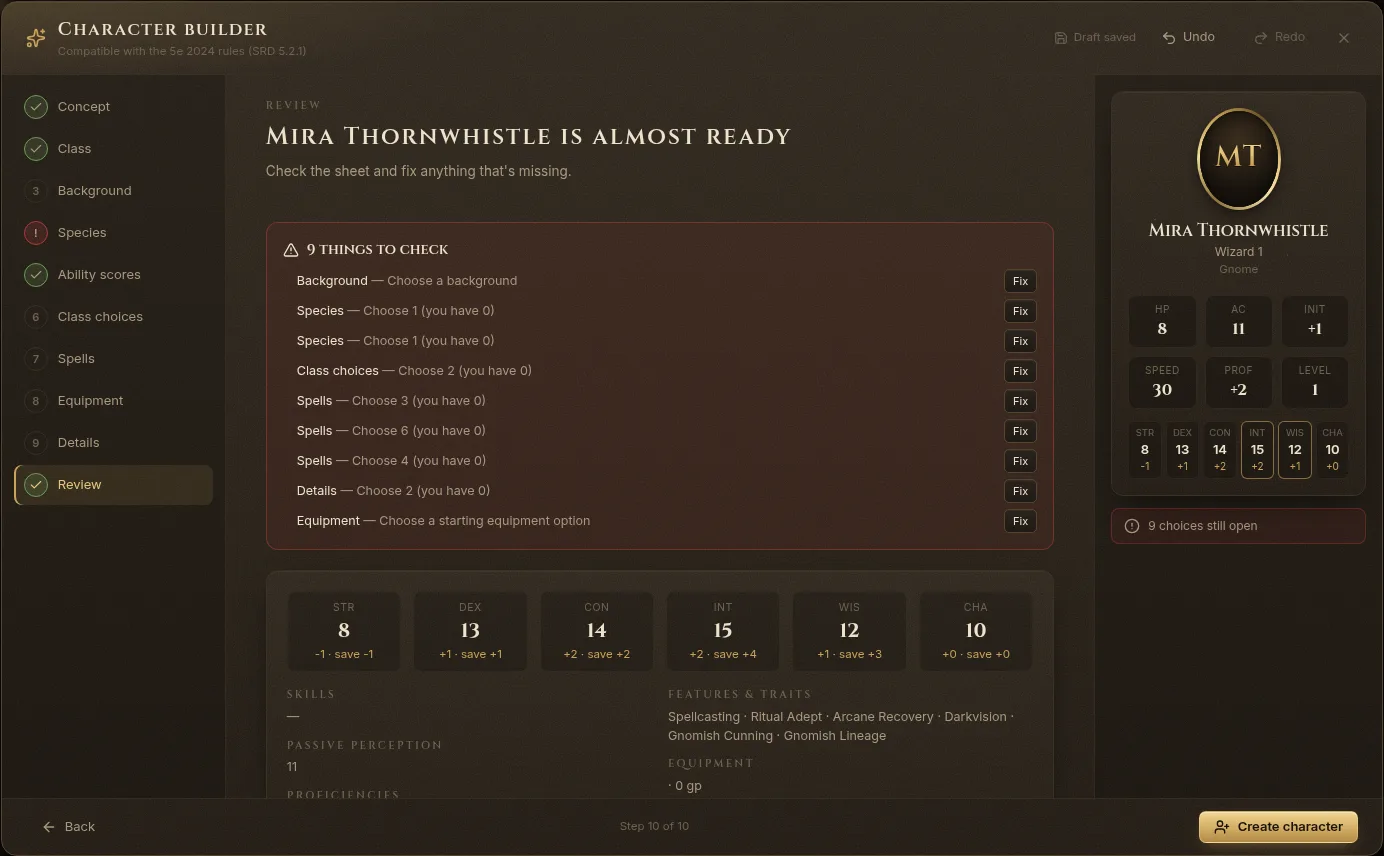
- Review — everything still to do, with a Fix button next to each item.
Ability scores
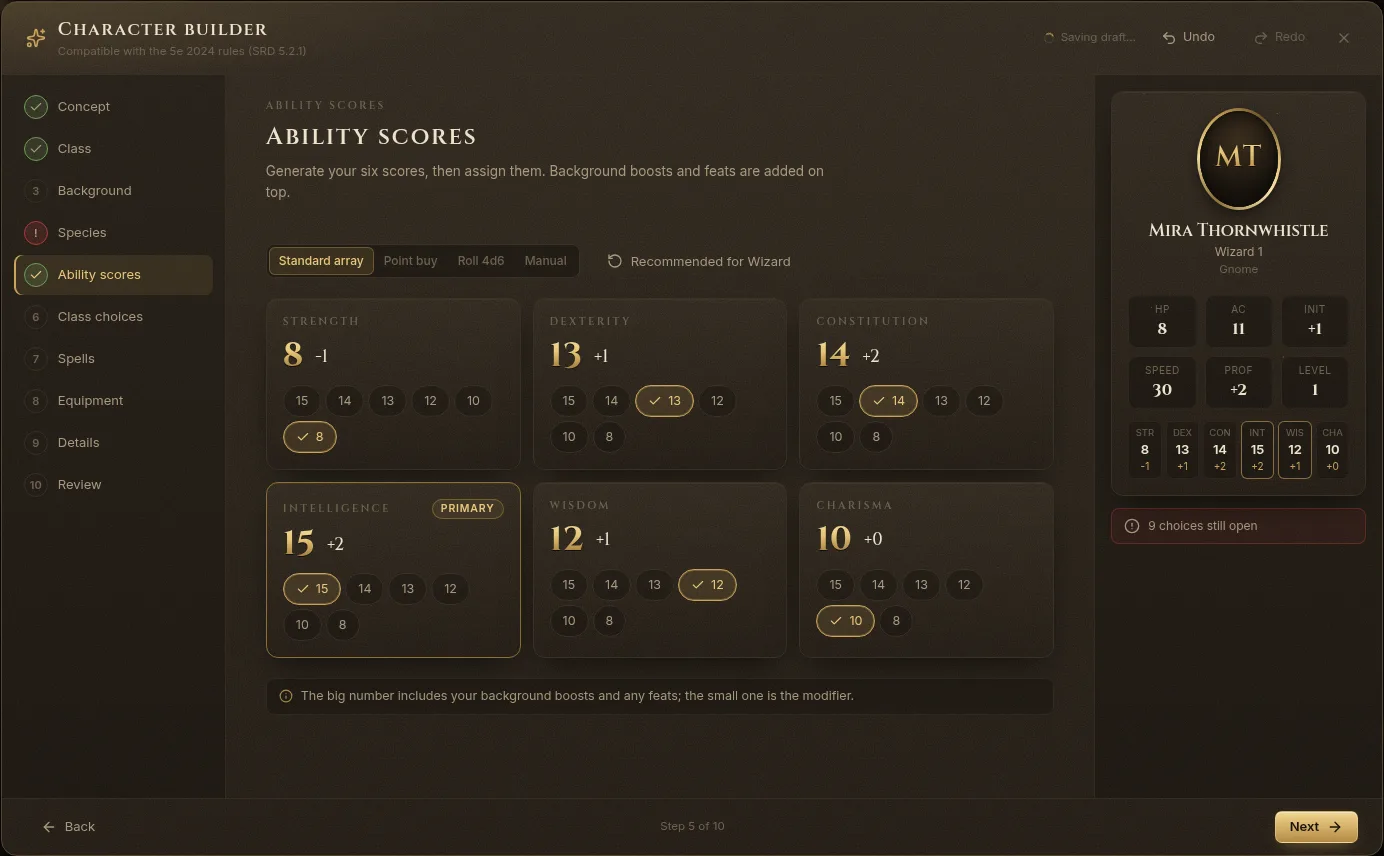
Choose a method:
- Standard array — 15, 14, 13, 12, 10 and 8, each used once.
- Point buy — scores from 8 to 15 with 27 points.
- Roll 4d6 — roll six scores (dropping the lowest die each time) and use each once.
- Manual — type the scores you rolled at the table.
Recommended for your class fills in a sensible assignment. The big number on each score already includes background boosts and feats; the small one is the modifier.
Quick build and “Choose for me”
In a hurry?
- Quick build (on the Concept step): pick a class and a species, and Fablekeep fills in the rest with sensible recommendations you can review. Click Build my character.
- Choose for me on any step fills in that step’s open choices with the recommended options.
Review and create
The Review step lists everything that still needs a choice. Click Fix to jump to it. When you’re done, click Create character: the character joins the party.
You can create a character with choices still open and finish them on the sheet later.
Drafts
The creator saves as you go (Draft saved at the top). Close it any time; next time you open New character, Resume a draft lets you carry on, or delete the draft.
Levelling up
When the party gains a level, use Level up on the character’s sheet or Level up party on the Party dashboard. Choose the class that gains the level (or multiclass), take the average hit points or roll, and make the new choices. See The party and character sheets.