When a fight starts, Fablekeep tracks initiative, hit points, conditions, concentration and limited-use features for you, and shows the turn order on the TV.
Roll initiative
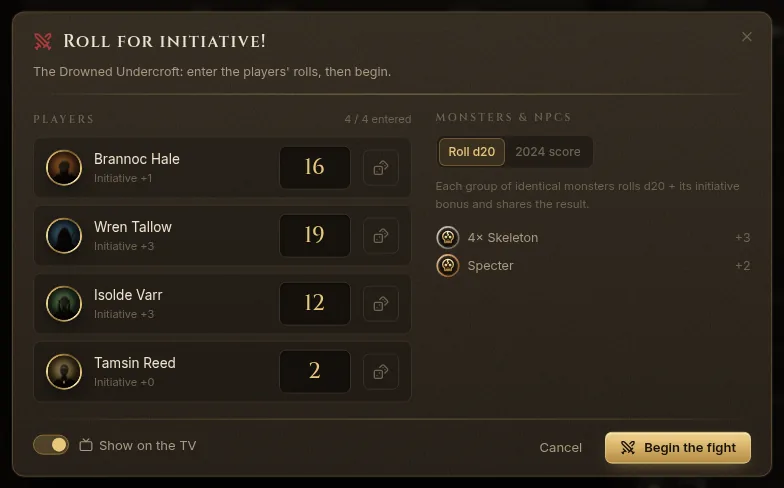
- Open the encounter in Encounters and click Roll for initiative.
- Under Players, type each player’s roll. Click the dice button next to a player to Roll for this player. In online and hybrid games, remote players get the roll on their own screen.
- Under Monsters & NPCs, choose Roll d20 or 2024 score.
- Leave Show on the TV on to play the “Roll for initiative!” card and then the initiative ribbon on the TV.
- Click Begin the fight.
The runner
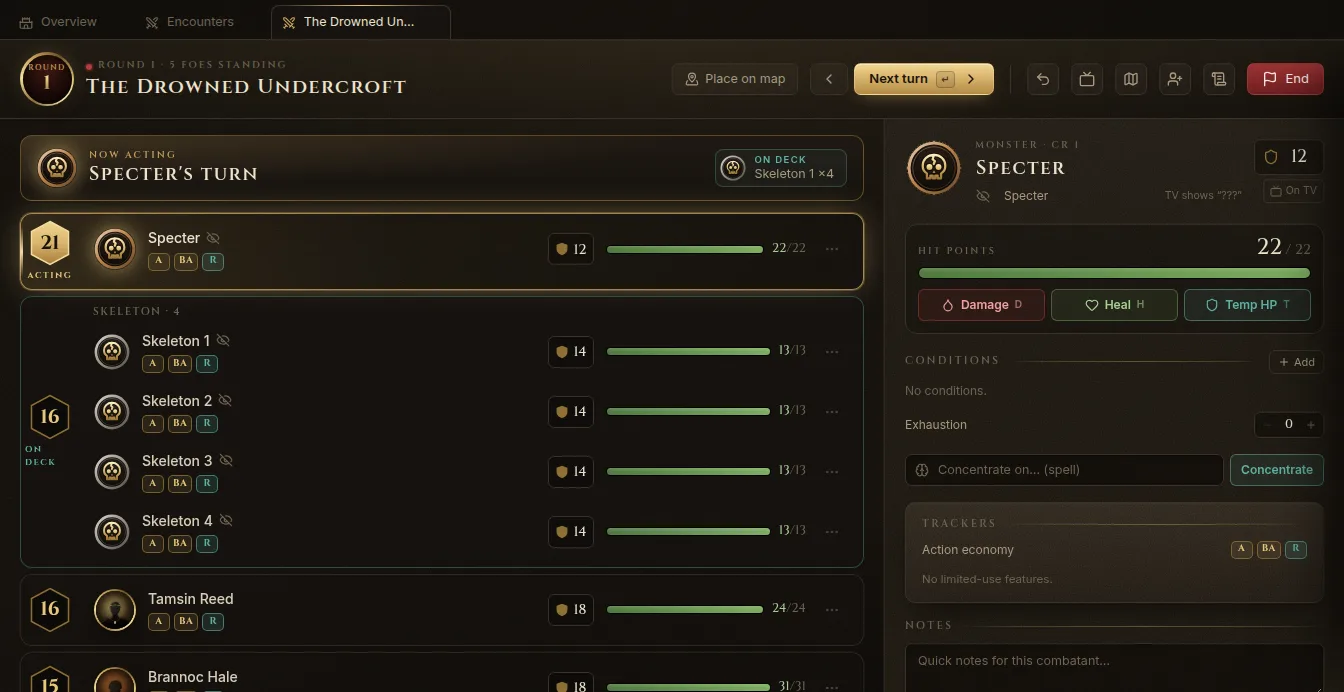
The runner shows the round, who is Acting and who is On deck, and every combatant in initiative order with AC and hit points. Identical monsters share one initiative and are grouped.
- Next turn (Enter or →) and Previous turn (←).
- Undo (Ctrl+Z) takes back the last change: damage, a condition, a turn.
- Add combatants brings in reinforcements; newcomers roll initiative as they arrive.
- Drag a combatant to break an initiative tie, or Edit initiative.
- Place on map puts the creatures on the encounter’s battle map.
Select a combatant (click it, or move with ↑ ↓ or J K) to see its details on the right: hit points, conditions, exhaustion, concentration, trackers, notes, and the statblock. Click an action in the statblock to roll it and spend its uses.
Damage and healing
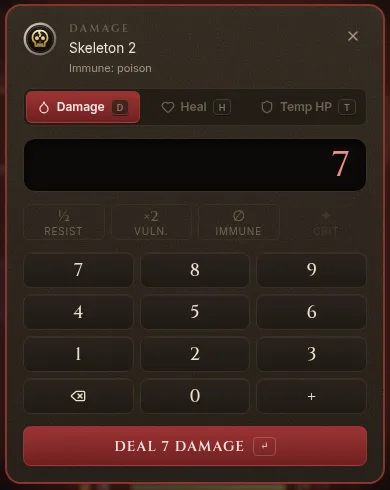
- Select one or more combatants and press D (damage), H (heal) or T (temporary hit points).
- Type the amount on the pad (or with the number keys).
- Toggle Resist, Vuln. or Immune (R, V, I) if they apply. The pad reminds you of the creature’s resistances and immunities. Crit (C) on a creature at 0 HP counts as two death save failures.
- Press Enter (Deal 7 damage, Heal 7…).
Monsters are defeated at 0 HP; named NPCs fall unconscious instead. Damage to a concentrating creature asks for a concentration save.
Conditions and effects
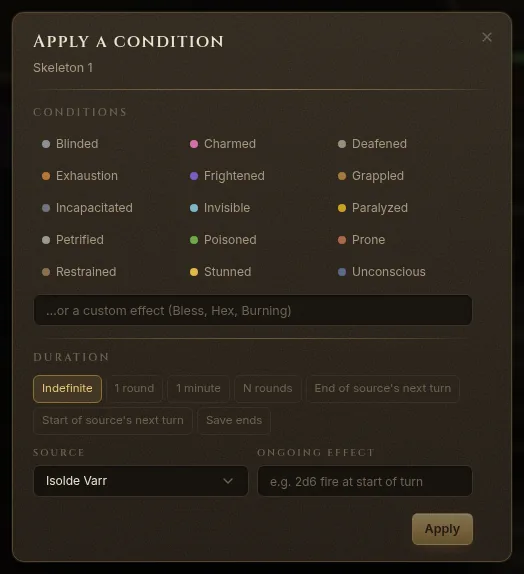
Press C to Apply a condition to the selected combatants:
- Pick a condition, or type a custom effect (Bless, Hex, Burning…).
- Choose a Duration: Indefinite, 1 round, 1 minute, N rounds, until the end or start of the source’s next turn, or Save ends (repeated at the end of each of its turns).
- Choose the Source and, if needed, an Ongoing effect (for example “2d6 fire at start of turn”).
- Click Apply.
Conditions expire on their own, and Fablekeep reminds you of saves, recharges and regeneration at the right turn. A condition tied to a concentration spell ends when the caster loses concentration. Spell effects such as Bless, Haste or Hunter’s Mark can be added from the combatant’s details, with their bonuses applied for you.
Concentration, death saves and trackers
- Concentrating — type the spell and click Concentrate. Fablekeep asks for a Constitution save when the creature takes damage.
- Death saving throws — a character at 0 HP gets Successes and Failures boxes, with Nat 20, Nat 1 and Stabilize.
- Exhaustion — the 2024 rules: each level is −2 to d20 Tests and −5 ft of speed.
- Trackers — the action economy (action, bonus action, reaction), Legendary actions, Legendary resistance, recharge abilities (Roll recharge (d6)) and Spell slots.
Combat on the TV
With Show on the TV on, the TV plays the “Roll for initiative!” card and then shows the initiative ribbon: portraits in turn order, the round, who’s next, and each creature’s state as a word (Unhurt, Hurt, Bloodied…), never exact monster hit points. Unrevealed monsters show as “???” until you Reveal name to players.
From the runner’s TV menu you can show or hide the ribbon, or show the tracker full screen.
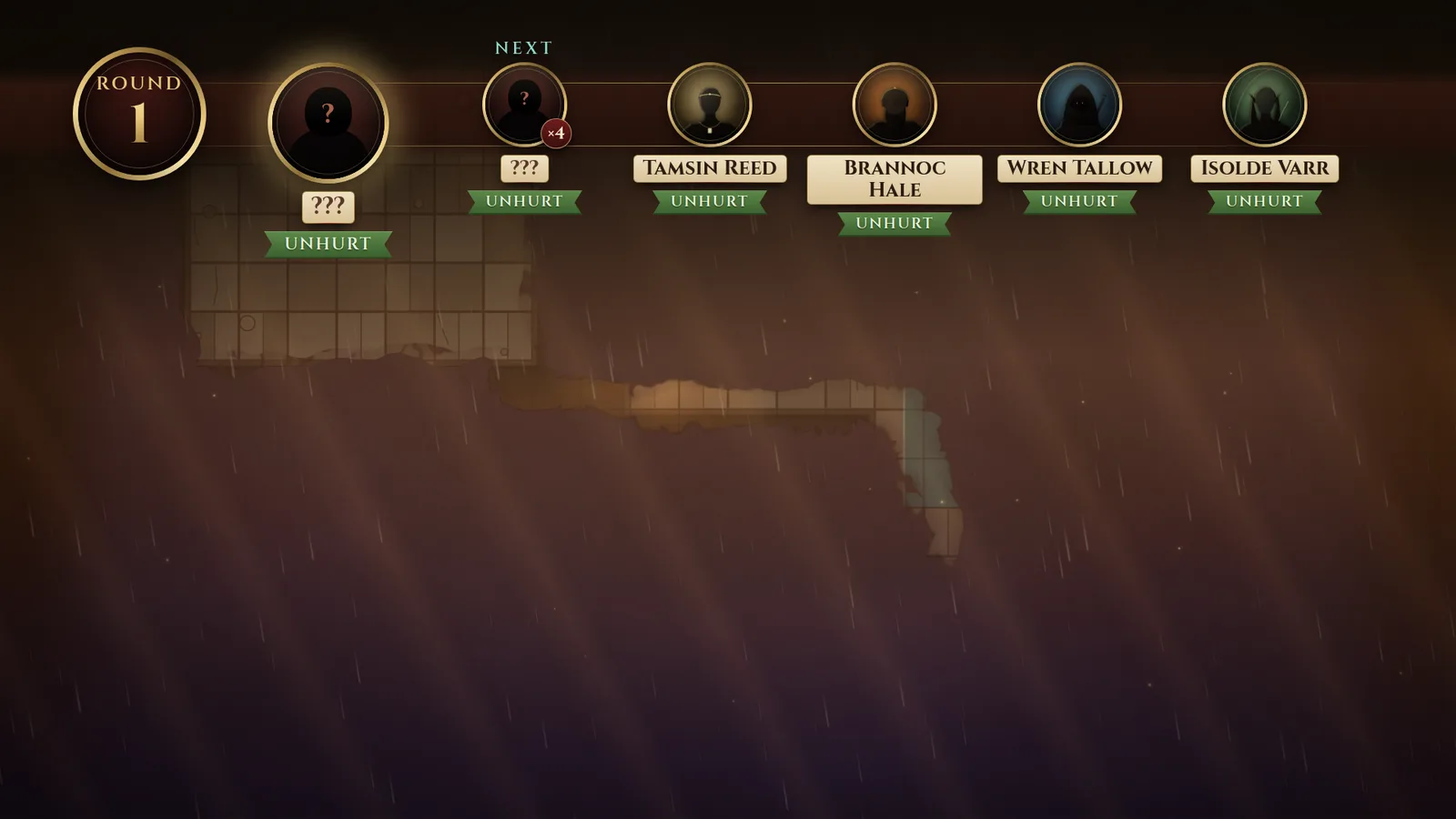
Players with the full player client on a laptop get an action bar on their turn to attack, cast and move. See Online and hybrid play.
End the fight
Click End. Write the Outcome and the loot; the XP is split among the party, and it all goes into the session log. The encounter’s summary (rounds, defeated foes, XP each, loot) stays in Encounters.