
TownRiver Wend
Brightwater
A river-mouth town of tanners and toll-keepers. Ask for ◆ Hesk the ferryman — he owes everyone a favour.
Contents
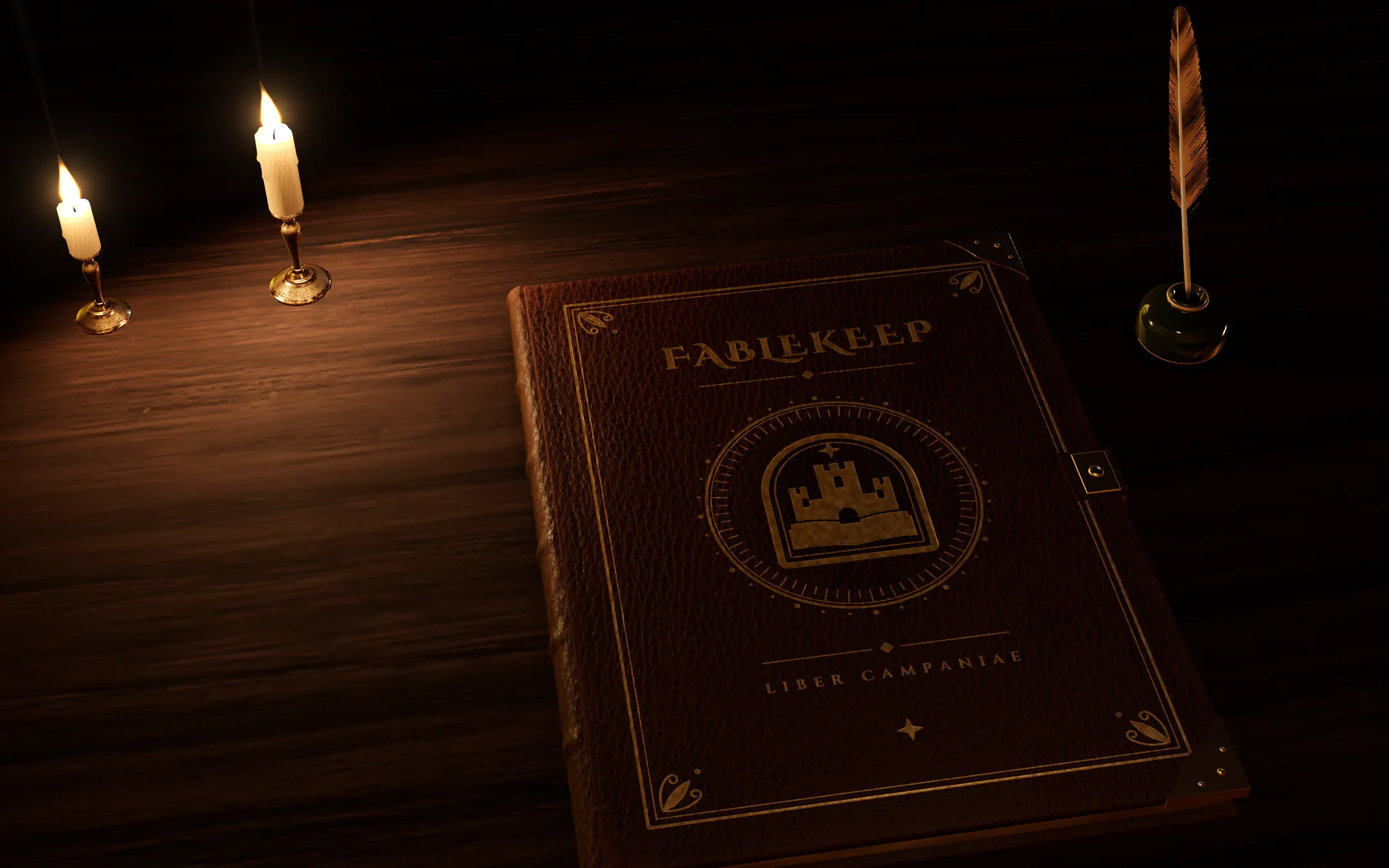
Fablekeep
Liber Campaniae
A hex atlas you draw yourself
Fog of war, parting as they explore
Your party, on the road
Places, linked to their stories
A virtual tabletop for 5e (2024)
A virtual tabletop for 5e (2024)
Fablekeep is an immersive virtual tabletop that holds your whole campaign in one tome — the world you build, the maps your party explores, the journeys between them and every battle along the way. Bring it to life on the TV in your living room, online with friends far away, or both at once.
One-time purchase · Local & yours · English & Español
By purchasing you agree to the EULA and Terms. See also Privacy and Refunds.
Chapter I
Other tabletops put a map on a screen. Fablekeep puts on a show — a TV you direct like a broadcast, fog that rolls back like smoke, letters that break their seal — while a copilot keeps the whole night one tap away.
What only Fablekeep does at the table
A broadcast desk for your table
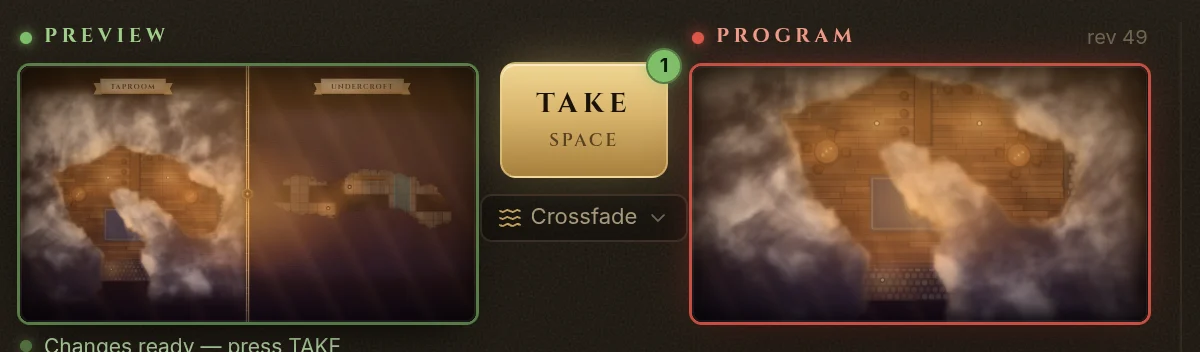
Stage the next shot while they watch this one, then cut to it with an ink wipe. One to four panes at once — the taproom above, the cellar below — and never a spoiler: the TV only ever receives what the players may see.
The Fablekeep TV display cutting from one battle map to a split screen of a tavern and its flooded cellar, under rolling smoke fog. Below, the DM’s desk: Preview, TAKE and Program.
Fog that behaves like fog
Smoke, ink or parchment fog rolls back with a candle-gold rim as you reveal the map. Rain, storms, dusk light and torchlight play over it, following your world’s clock and weather.
Smoke fog of war rolling back from a tavern on the TV as the party walks in from the street.
Props, not pictures
The wax cracks, the letter unfolds, and the ink writes itself paragraph by paragraph, at your pace. Scrolls unroll, wanted posters slam onto the board, NPCs step in with a nameplate and a line.
A sealed letter on the TV: the blue wax seal breaks, the paper unfolds in three folds and the handwriting inks in line by line.
Your session, step by step
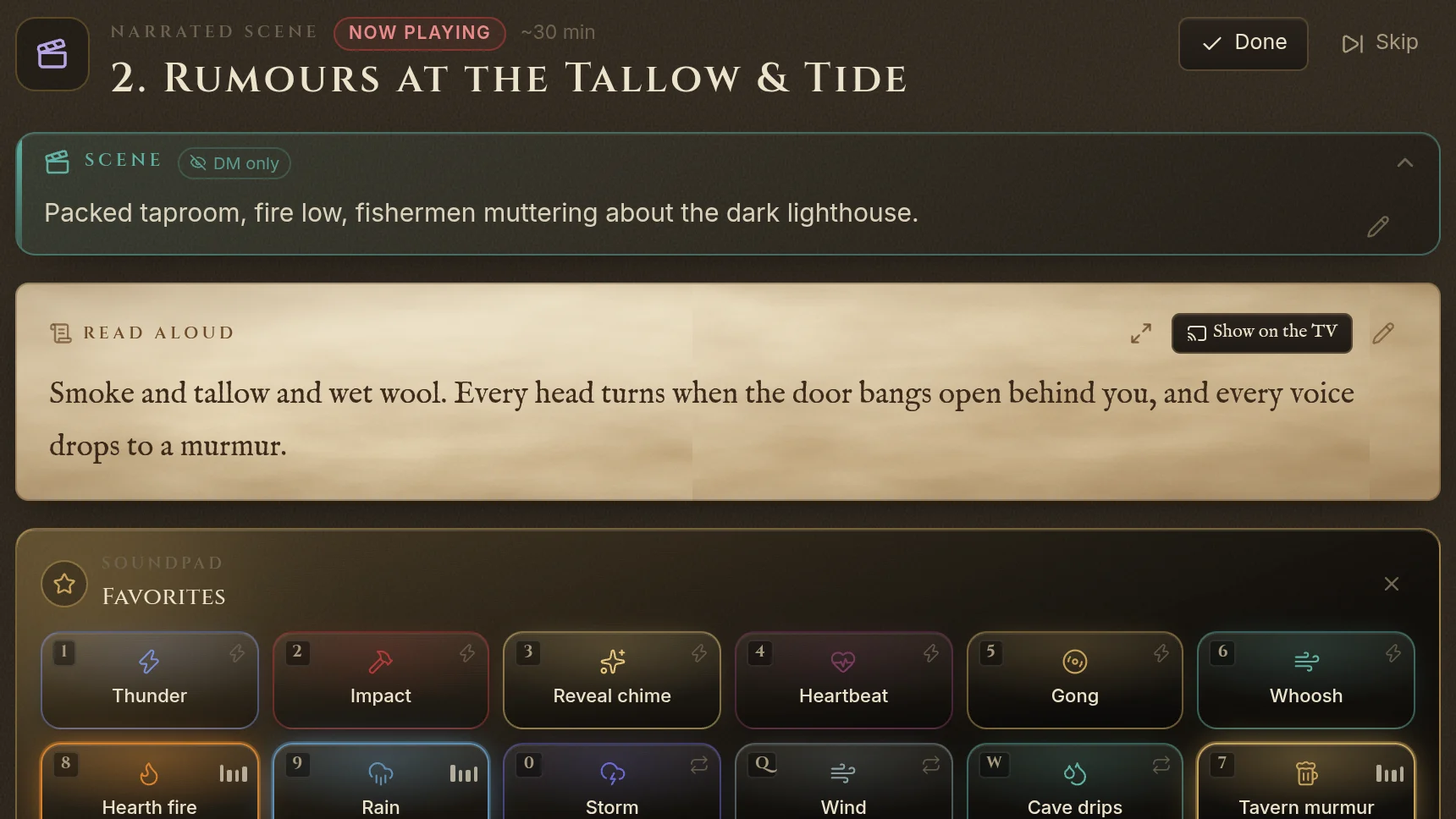
Read-alouds, scene setup, clues, NPC reveals and decisions in order. Every map, handout, encounter and sound you linked while planning waits on its step — one tap puts it on the TV.
The Fablekeep session copilot: the current step with its scene notes, read-aloud box, soundpad, beats and a decision.
A soundboard that comes full
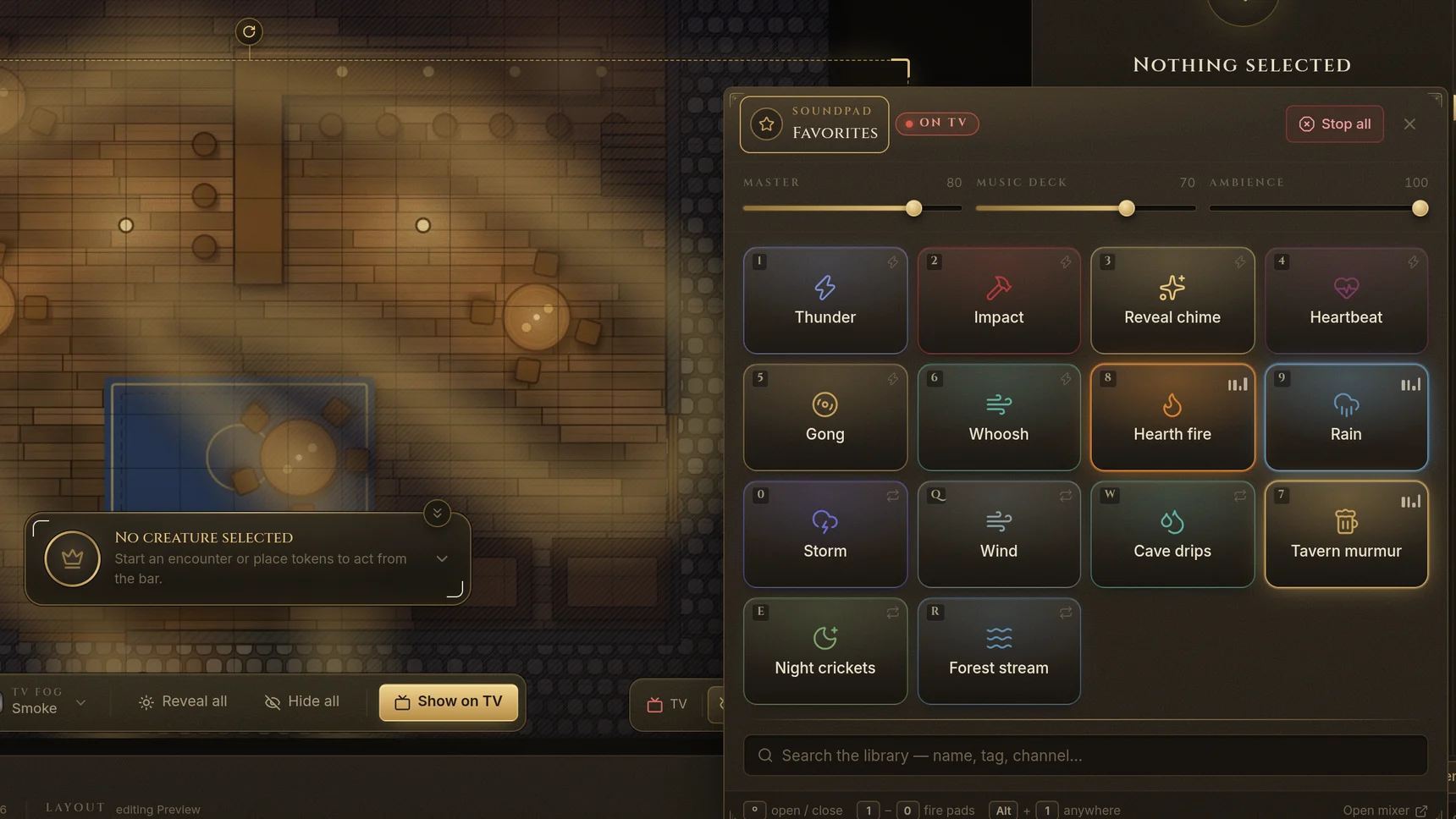
Ambience and effects ready from the first night, a hotkey on every pad, a music deck and four ambient layers on one mixer. On battle maps sound has a place: the hearth grows louder as they pass it.
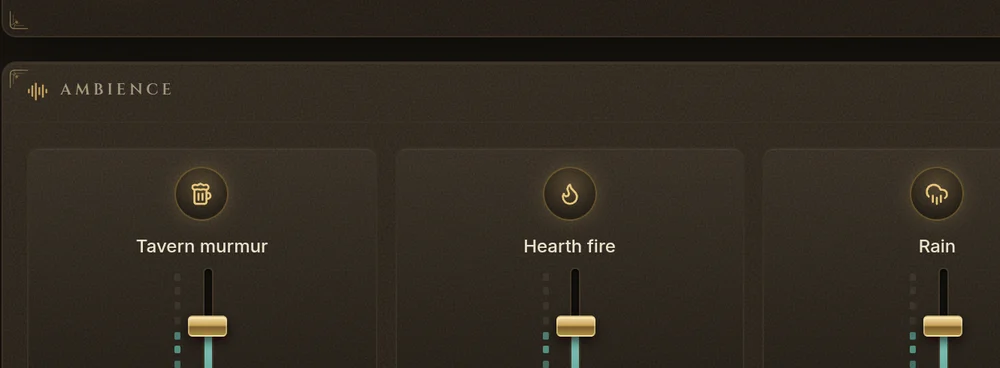
The Fablekeep audio mixer: a music deck, three ambient layers, a soundpad of fourteen pads with hotkeys and the TV atmosphere controls.
Chapter II
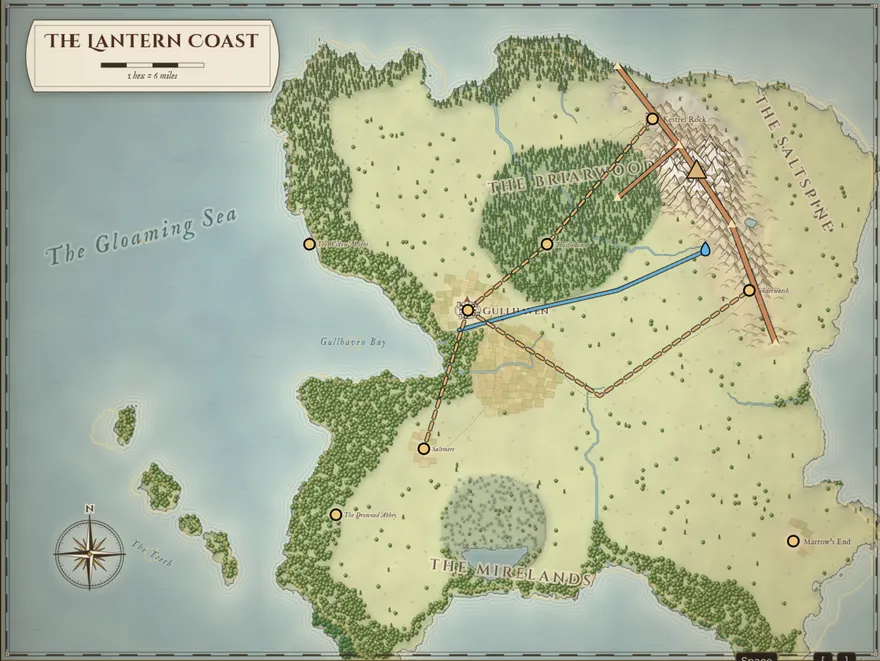
Sketch a coastline and the forge inks a continent, hex by hex. Raise a battle map with roofs, levels and candlelight. Write the people and secrets that live there, and every mention links back. Then set the world in motion.
Plan a journey and it plays on the TV as a cinematic: the party walks the road, the fog lifts from each hex they reach, the calendar turns, the weather comes over the hills, and every stop opens its page in your wiki.
A real journey, played the way Fablekeep plays it on the TV: plan the stops, press play, and let the road, the clock and the weather run together.
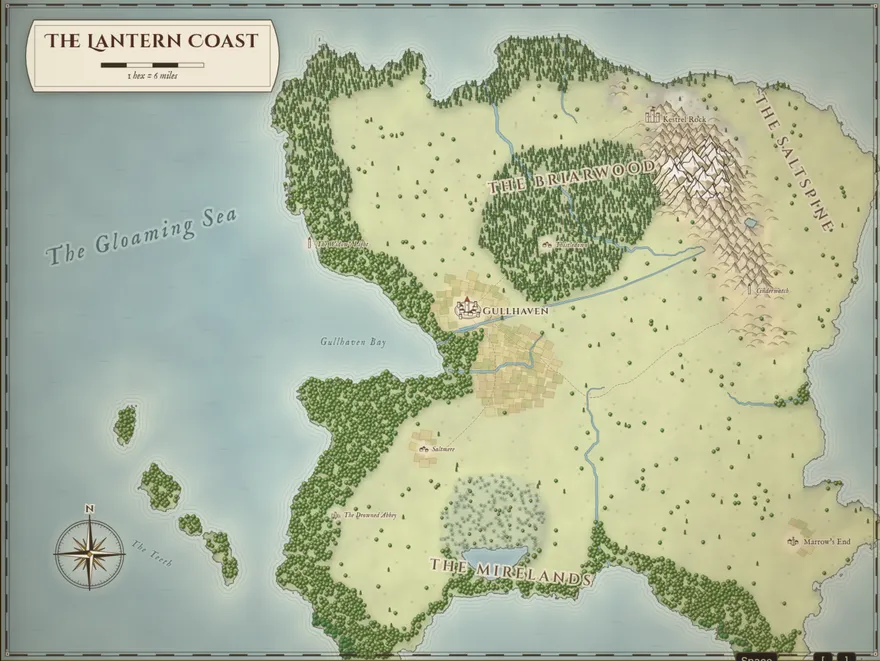 Guide → mapIn the app
Atlas & Map Forge
Paint a rough guide — land, ranges, forests, rivers, roads — and the Map Forge draws a hand-inked world map on its hex grid, ready for fog, travel and the TV.
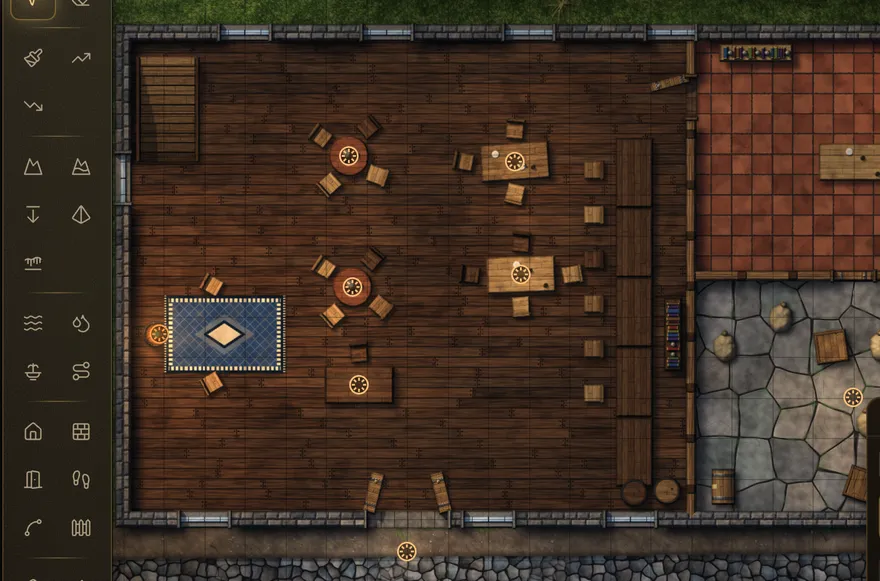 Laid out for you, finished by handIn the app
Battlemap Forge
Start from a layout generator — tavern, river crossing, ruined tower. It isn’t AI and makes no art: it just arranges rooms, walls and props into a first draft. Then paint ground, raise cliffs, wall rooms, stack levels and roofs, and light it by hand. Or bring a Universal VTT map that already knows its walls, doors and lights.
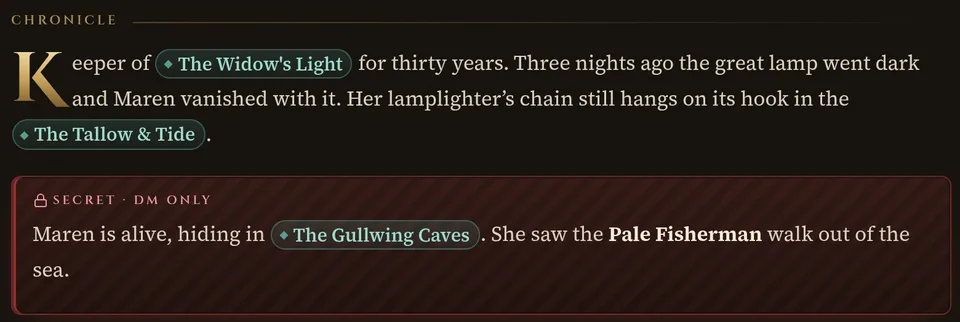 Linked mentionsIn the app
Wiki & compendium
NPCs, factions, places and lore link to each other as you write; secrets stay DM-only. The full SRD 5.2 compendium sits one search away.
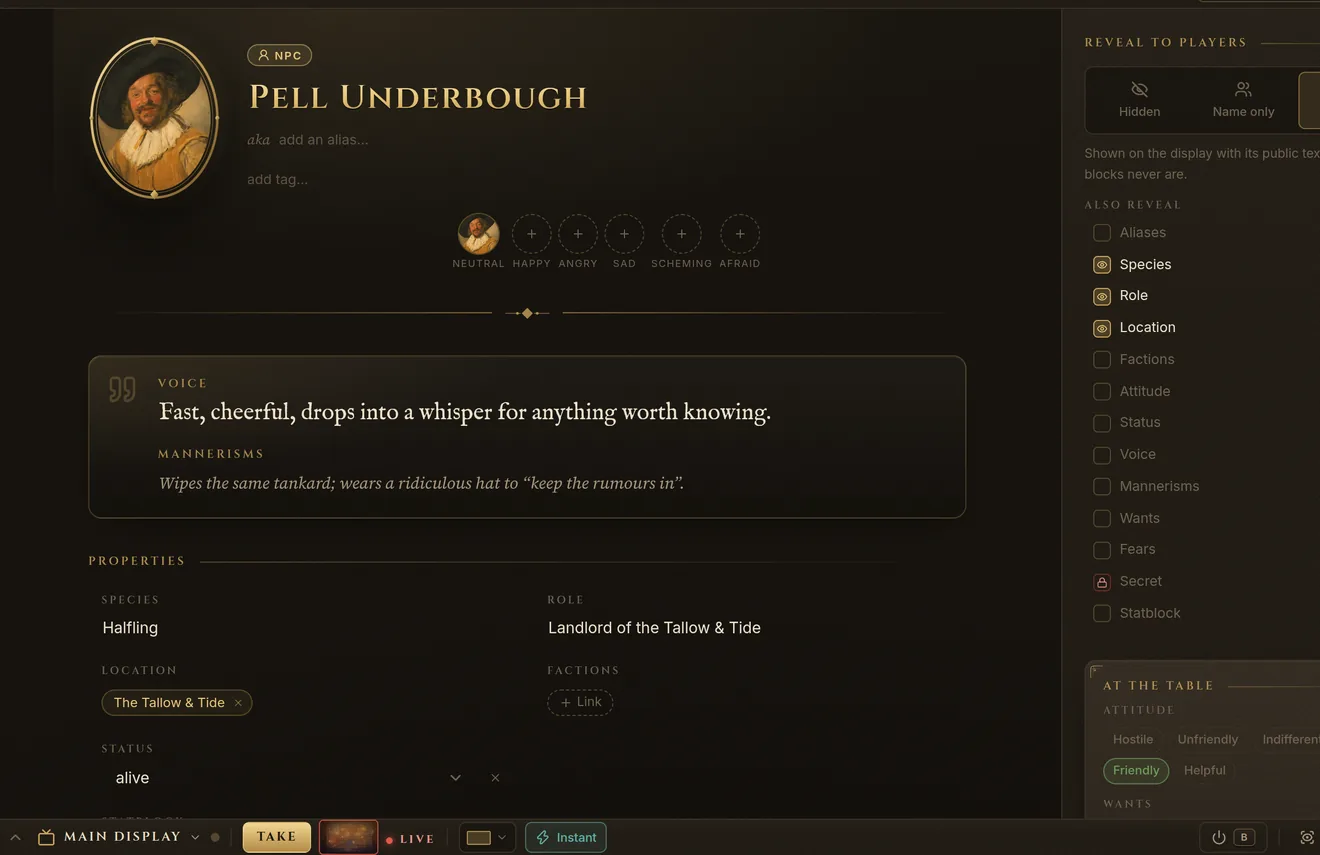 Voice · moods · revealIn the app
NPCs
Give each NPC a portrait and a mood set, a voice, mannerisms and wants — and choose exactly what the players get to see on the TV.
Our own art
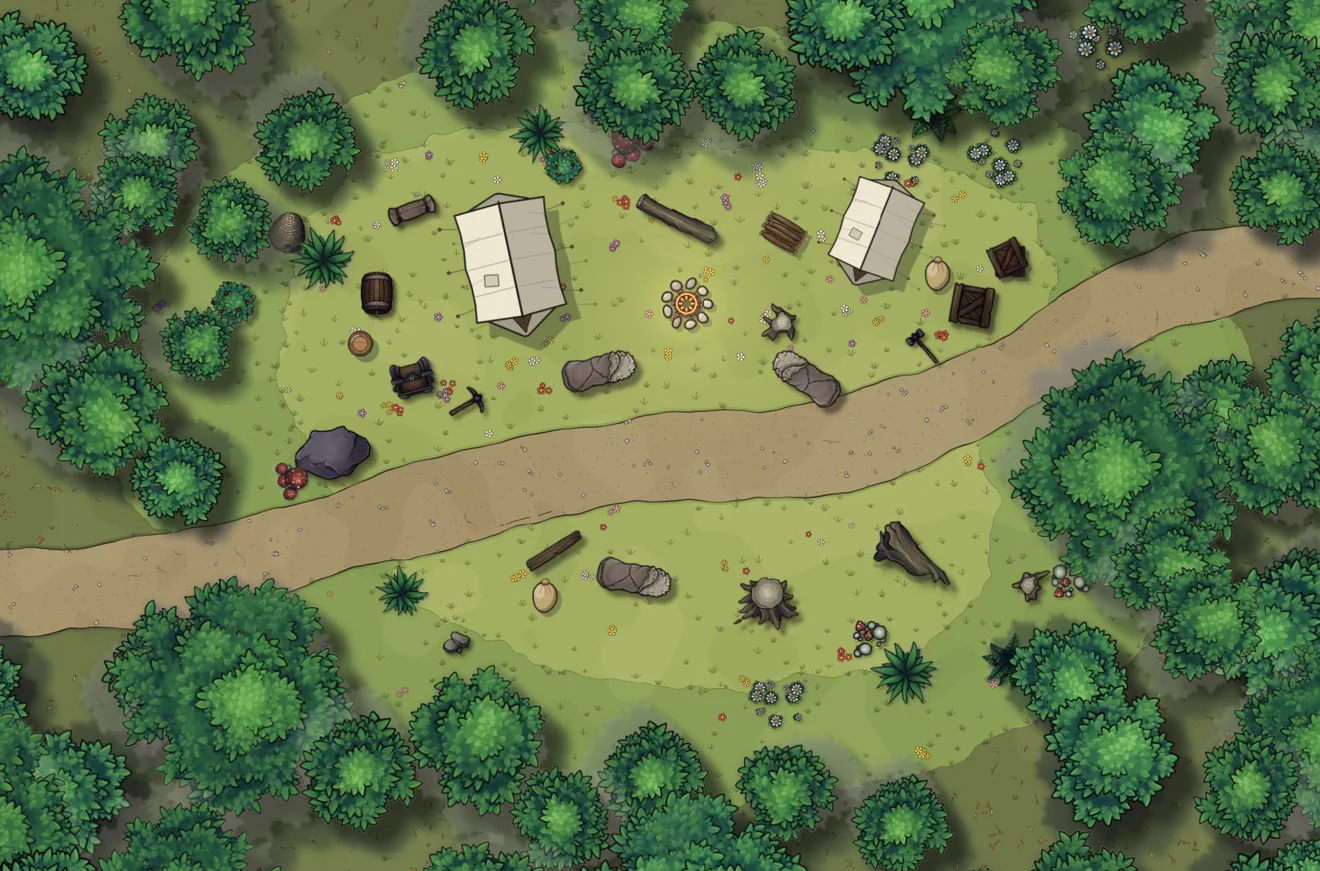
Fablekeep comes with its own battle-map art, made for it: over 70 assets and 18 ground textures in one hand-inked style, for green woods, deep snow, open desert and old stone. No AI-generated images, no packs to buy: it is all in the box.
Forest river
Ruined watchtower
Tavern
Desert oasis market
Winter roadside camp
Cave
Every map on this page was built in Fablekeep from the art it ships with. Click a map to see it large.
Chapter III
Choose a spell, pick the targets, and let the table feel it. Fablekeep keeps the 2024 rules’ bookkeeping — attack rolls, saves, halves, resistances, durations — so the fight stays fast and the drama stays yours.
Every spell plays its own effect on the map and on the TV: bolts that fly and miss, fireballs that fill their template, healing that rises from the wounded. Then the apply assistant shows what happened and waits for your nod.
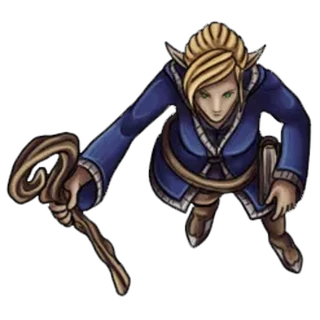 Ysolde
Cast it yourself. The app’s own effect engine, running in your browser. Pick a spell, press 1–8, or let the fight play.The app’s own effect engine, running on your phone. Tap a spell, tap a foe on the map, or let the fight play.
The attacks, spells and features of whoever is acting, on an MMO-style bar: 339 SRD spells, each with its own icon and effect.
Saves rolled, AC compared, halves and resistances worked out. One click applies it to every target — and undoes it.
Bless, Shield and Haste tick down by themselves. Familiars, Wild Shape and conjured allies land on the map ready to act.
Build and balance the fight from the SRD bestiary, then drop in the tokens you own: the packs you bought, the figures you commissioned, the art you made.
And everything a VTT should have
Chapter IV
One campaign, every kind of table. Gather around the TV, play across three cities, or seat a far-away friend beside the ones on your sofa: the same live scene, and every player in a seat of their own.
Fablekeep is one site you serve yourself, on your home network for the living room or on a small public server for players anywhere. Players just open a browser: no install, no account. Each gets their own sheet, inventory and diary, and sees the map through their own character’s eyes.
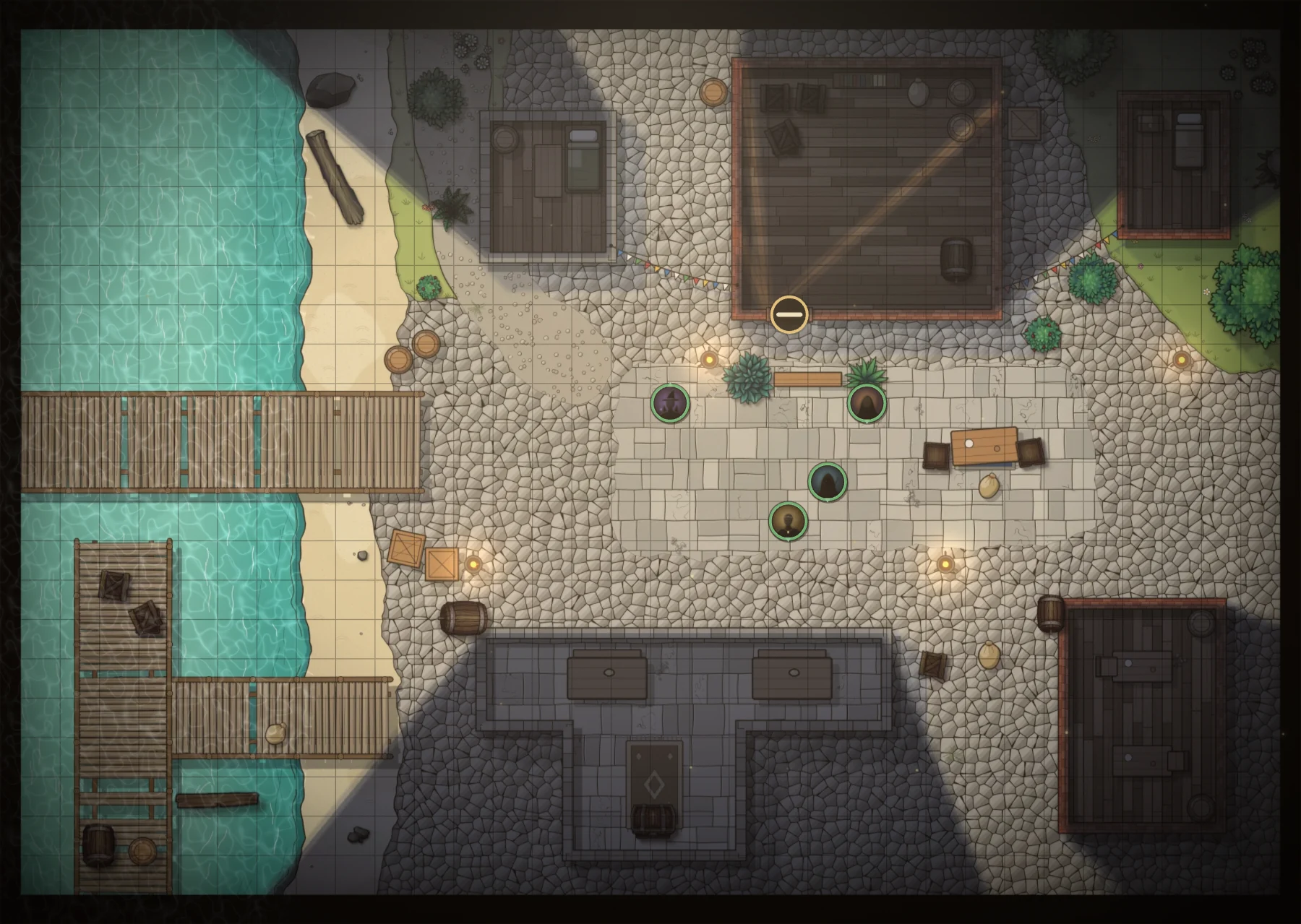
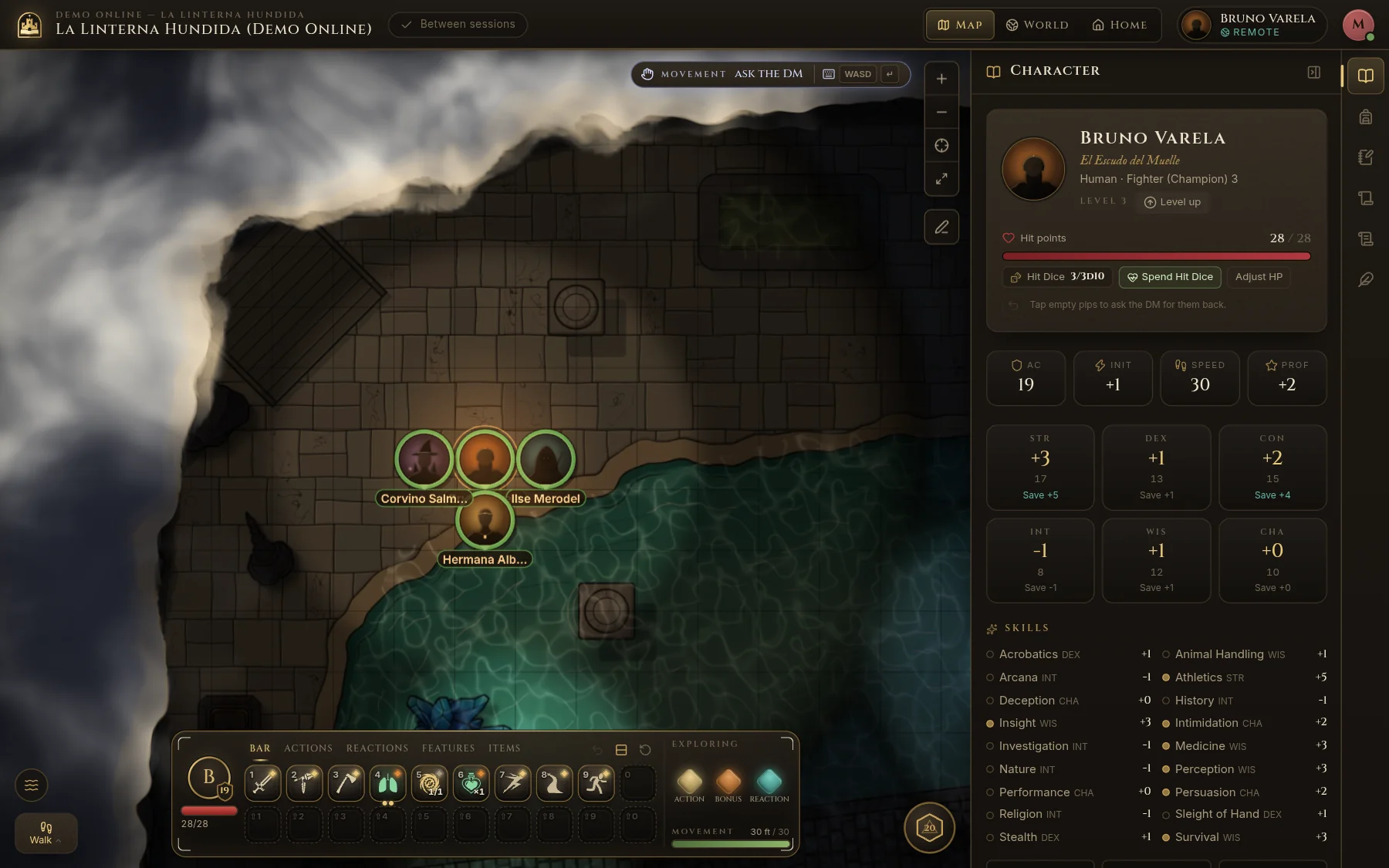
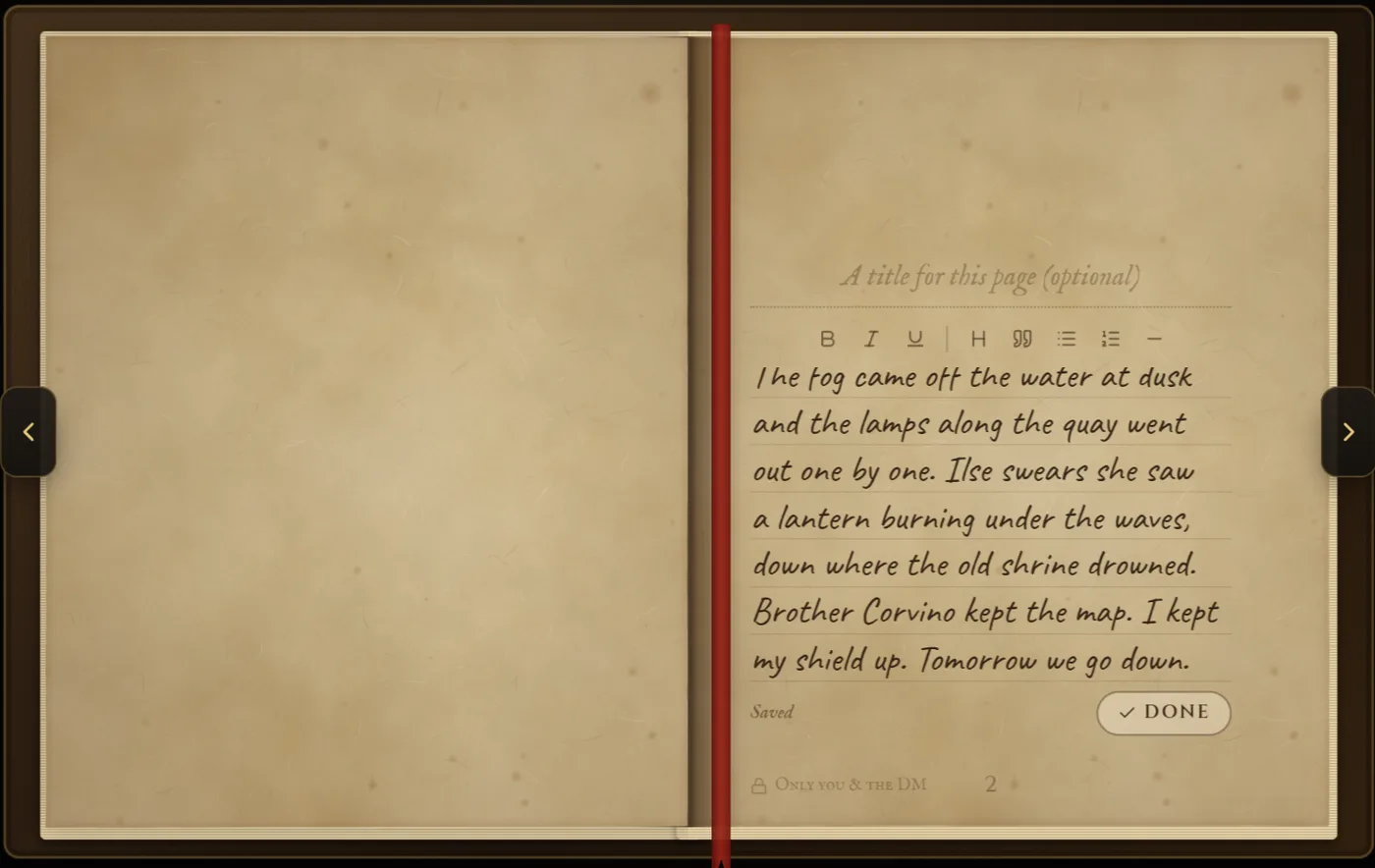
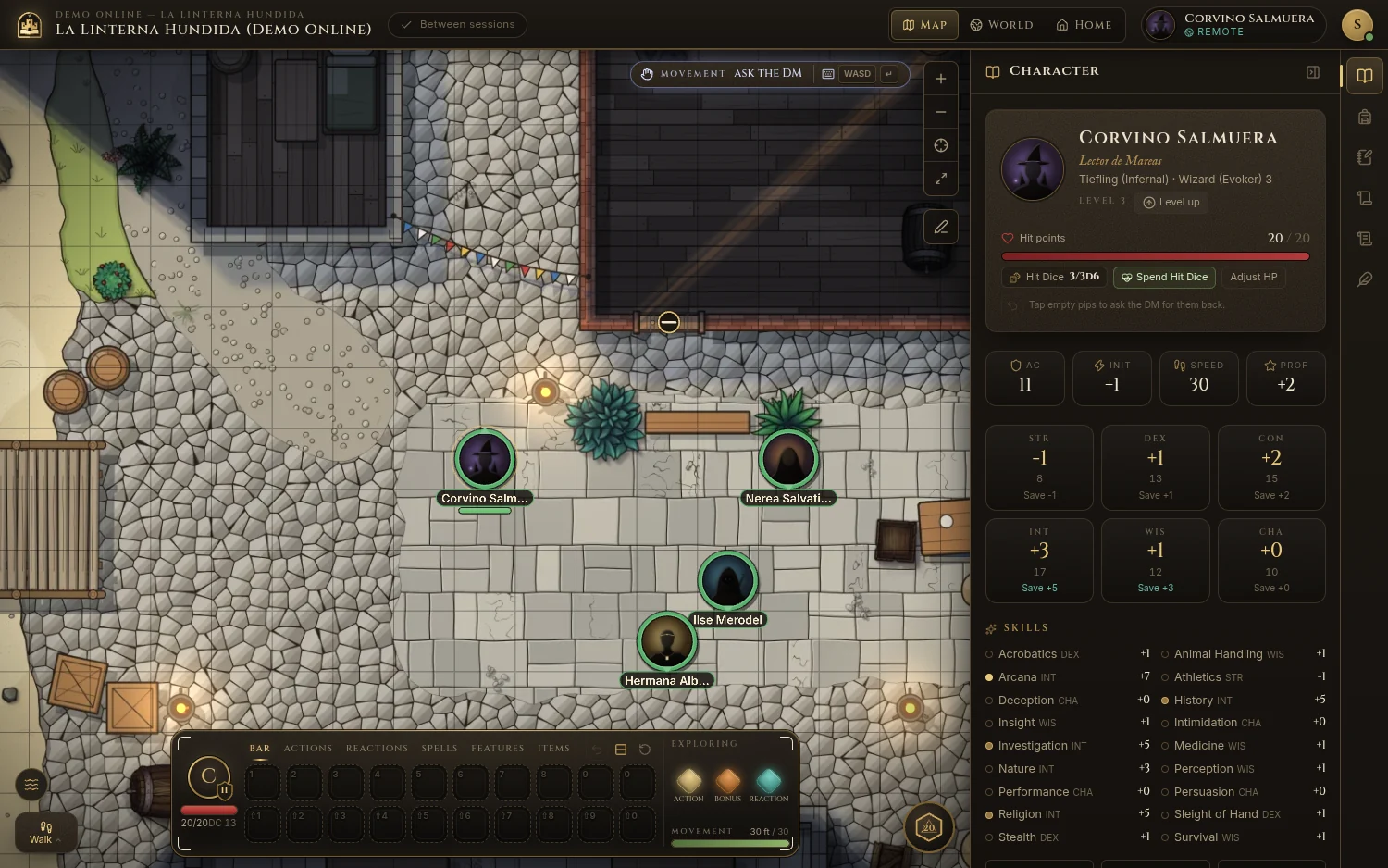
One shared view for the whole sofa
Only what his character sees; fog keeps the rest
His sheet, inventory and spells
Pages only he and the DM can read
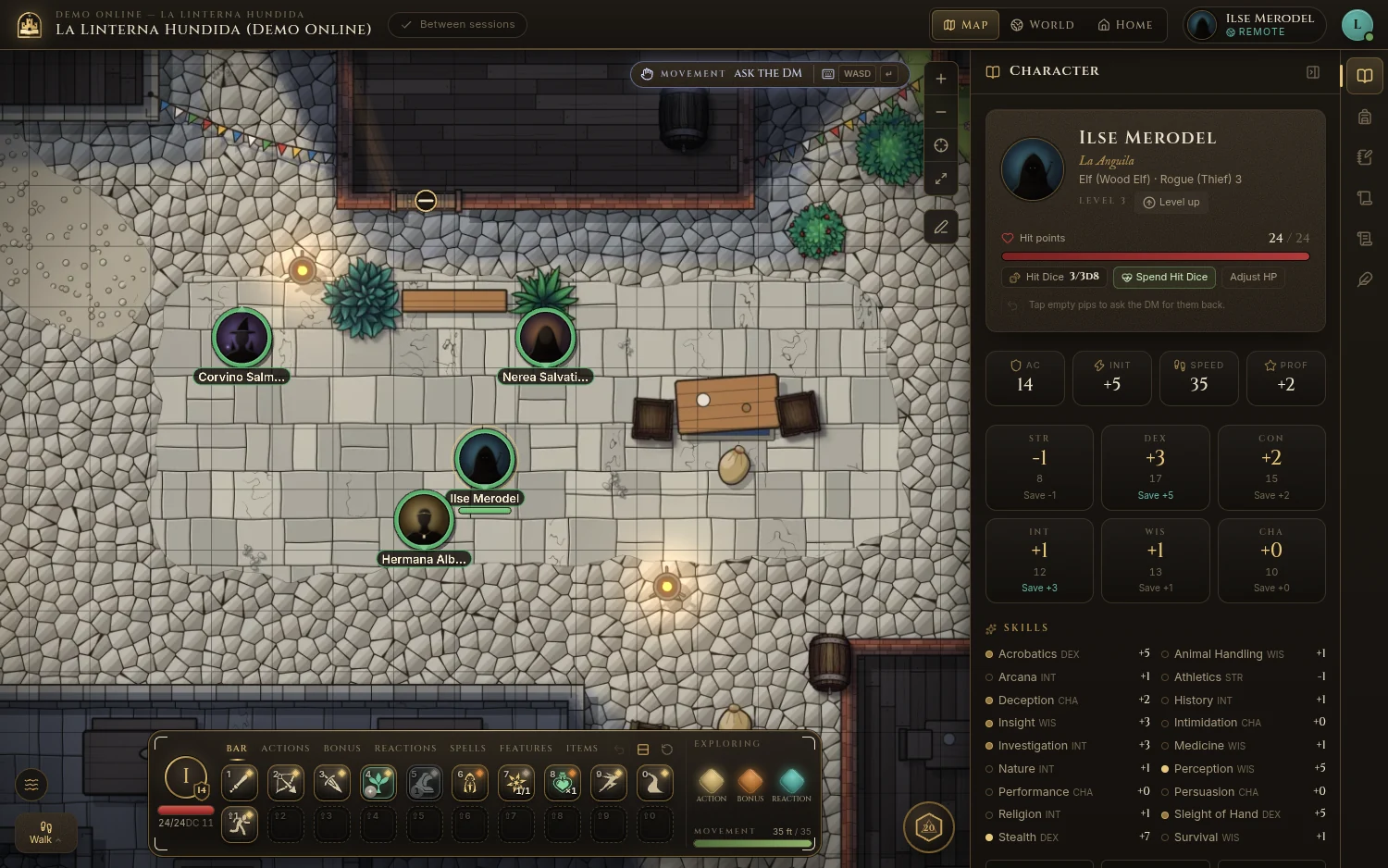
Real Fablekeep screens
Sheet, inventory, spells and a hand-written diary. Players build their own hero in the 5e (2024) creator and level up, with your approval.
Split the party across maps; send a vision, a handout or a whisper to one player. The others never see it.
Serve it on your home network for the living room, or on a VPS for friends anywhere. Invite codes and PINs, on hardware you control.
For busy DMs, off by default. It helps with prep from your own world and assets, and never makes art. It drafts, you decide: nothing reaches the table without your approval.
The phone companion
Every player gets their character on their own phone, laid out for a thumb: a sheet that does the maths, spells that know their slots, a diary in their own hand. They join with a link, a QR code or a short code and a PIN. Nothing to install, no account to make.
Around the TV the phone is each player’s sheet. They roll their own dice, type what the d20 showed and Fablekeep adds the rest. No map on the phone: the table looks up at the TV.
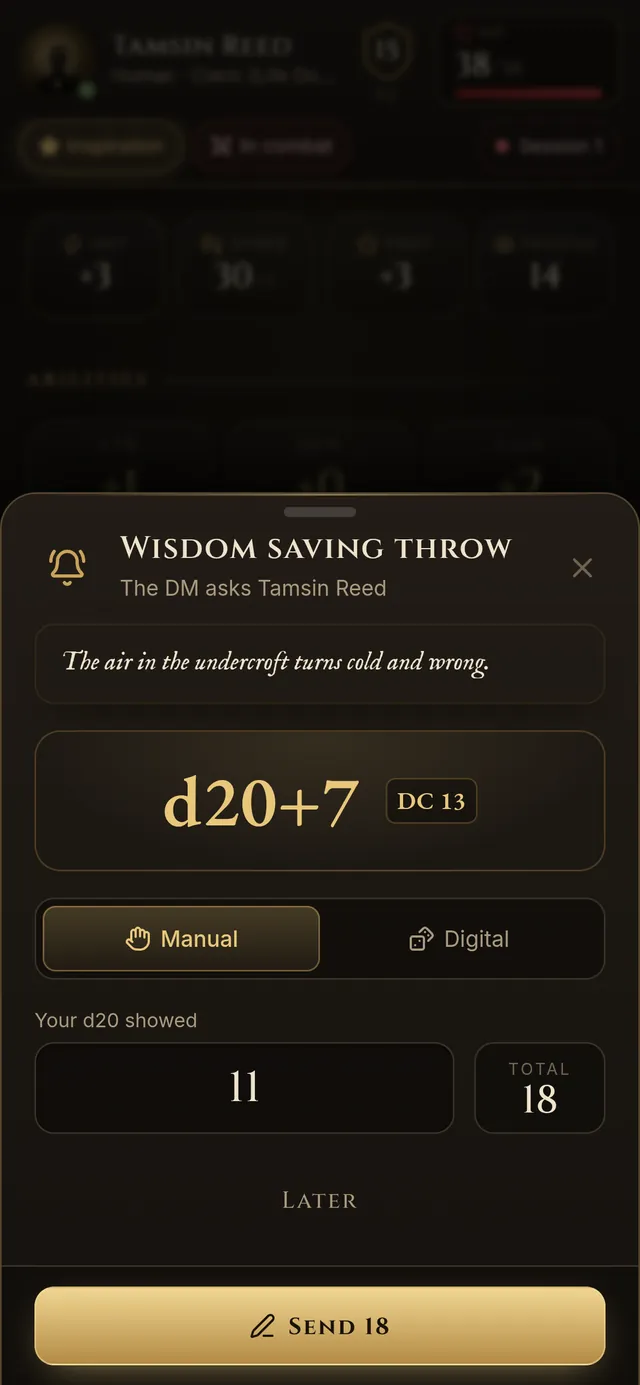
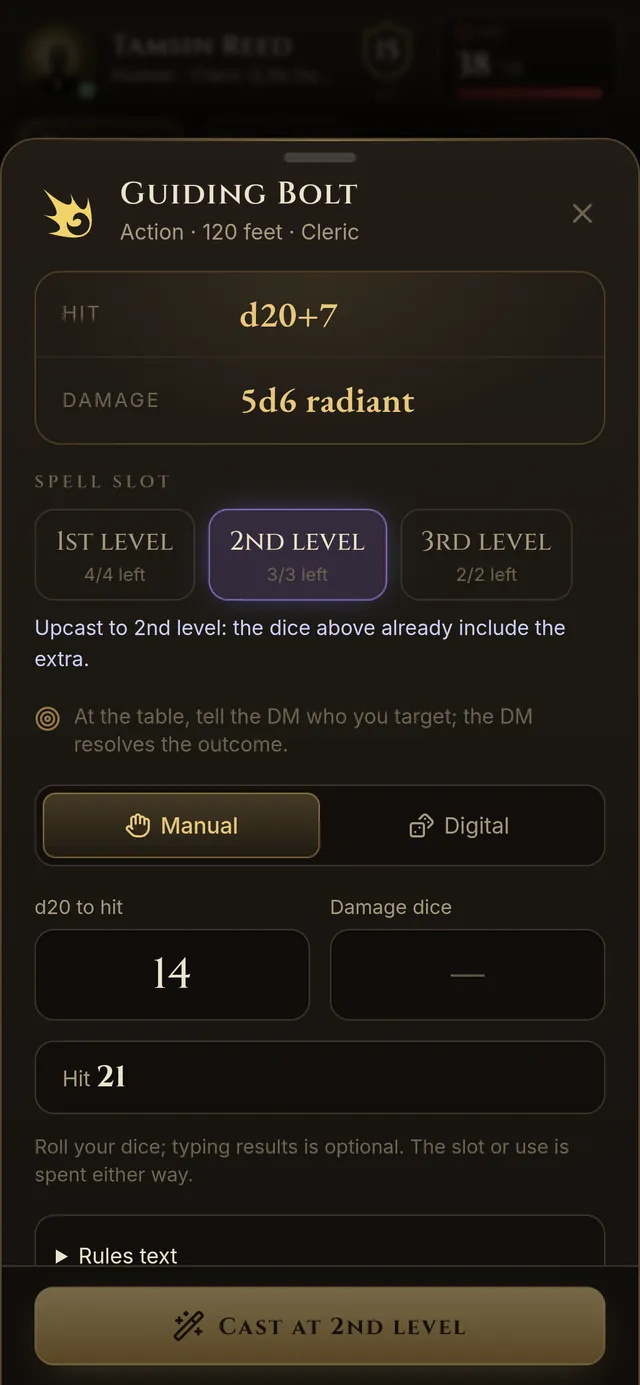
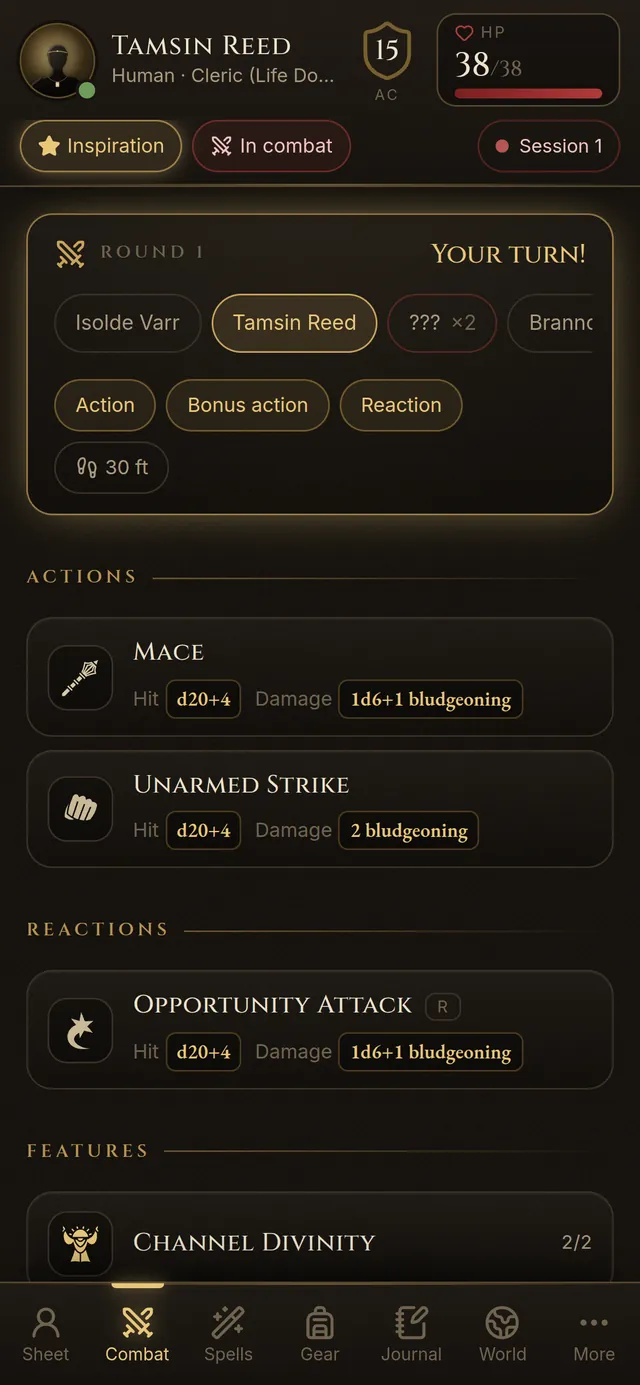
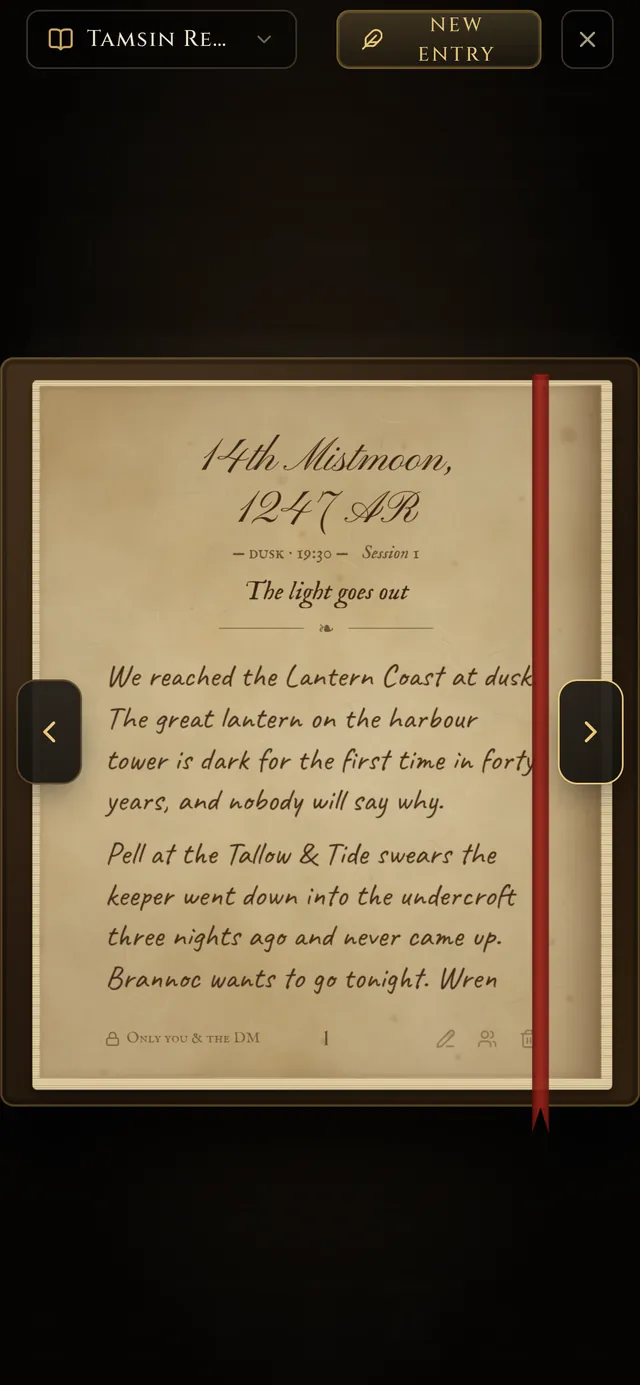
A player at home, or the far seat in a hybrid game, also gets a Map tab: the scene through their own character’s eyes, to pinch, ping, measure and move on. Their dice roll in 3D on the phone.
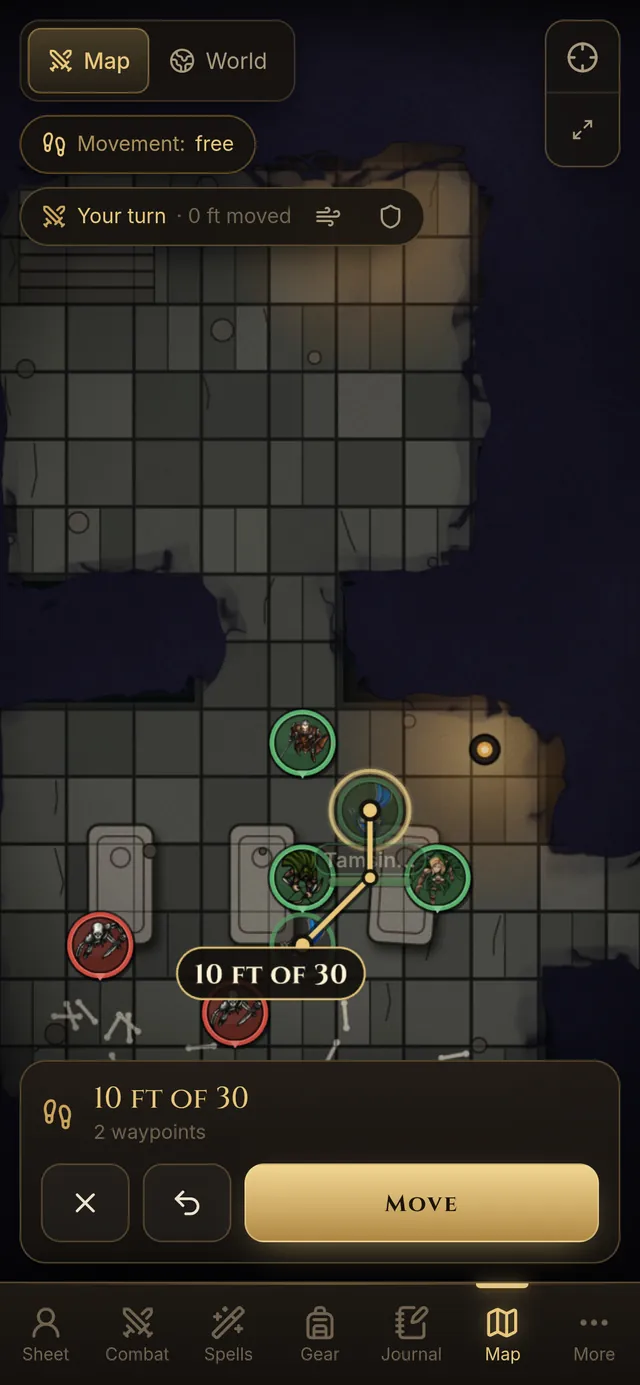
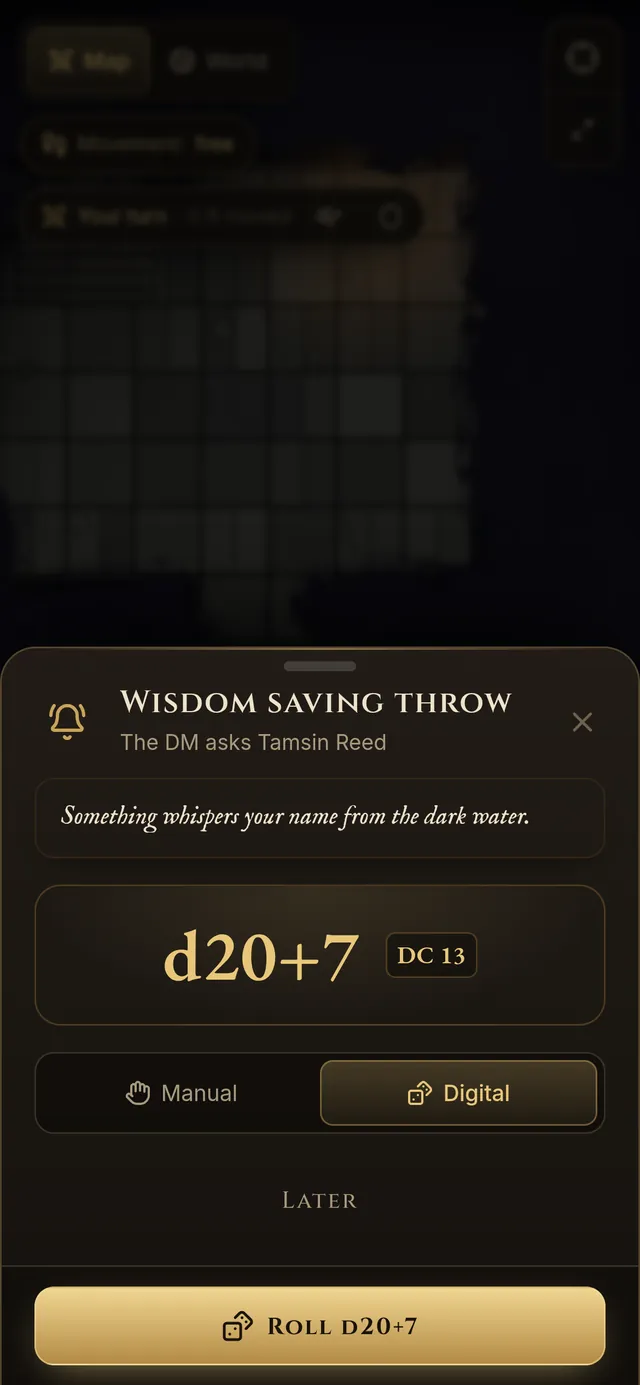
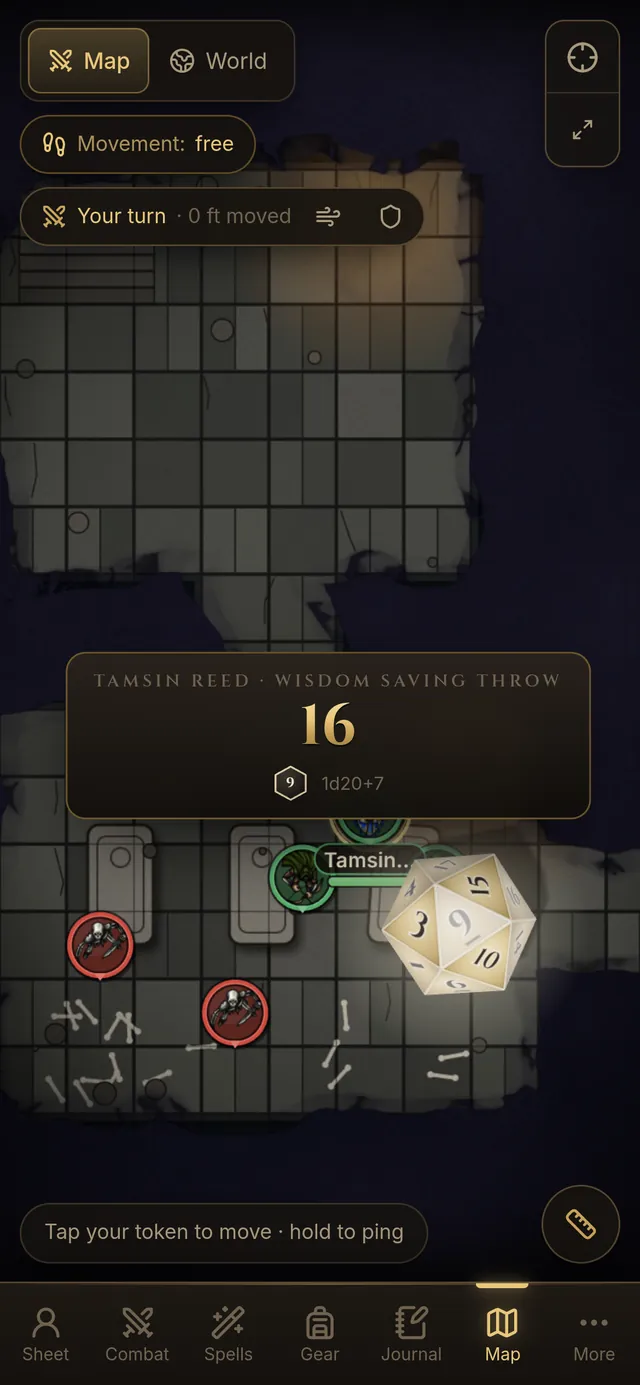
Real phone screens from the player client
Chapter V
Buy it once and it is yours. Your worlds live on your computer, in files you own, and they open the same way in ten years as they do tonight.
No subscription, no rented storage, no lock-in. Updates and new features land in the same tome you already have.

Rented tools come with a lock.Fablekeep comes with none.Updates land in the same tome.Ten years on, it opens just the same.
Founder's edition
Know all who read this that the tome called Fablekeep, and every world written within it, is given into the keeping of, to hold on their own computer, to open in any year to come, with no rent owed and no key held by another.
The price
$29.99
one-time purchase
Founder's price until 10 December 2026, then $39.99
Herein granted
By purchasing you agree to the EULA and Terms. See also Privacy and Refunds.

Pull up a chair in our Discord: ask anything, see what we are building next, and meet other keepers.
Appendix
No. It is a one-time purchase. Your campaigns are stored locally, on your computer, and they stay yours.
Fablekeep is compatible with the 5e 2024 rules and ships with the SRD 5.2 compendium. You can add your own monsters, spells and items.
No. A TV makes a wonderful stage for an in-person table, but you can run everything online, or mix both in the same session.
Just a phone, tablet or laptop with a modern browser: nothing to install, no account. They join with a link, a QR code or a short code and pick a PIN. On a phone they get a companion made for it: their sheet, what to roll for every check, attack and spell (with their own dice or 3D dice on screen), your roll requests, spells and slots, inventory and a handwritten diary. At the table the TV shows the map; players joining from afar also get the map on their phone, seen through their own character’s eyes.
Yes. Universal VTT files (.dd2vtt, .uvtt, .df2vtt), as exported by Dungeondraft and other map makers, become battle maps with their walls, doors, windows and lights already in place. Dungeondraft asset packs, Wonderdraft symbol folders and .zip packs of PNG, WebP or JPEG art become stamps, textures and world-map symbols, and any map image (PNG, JPG or WebP) works as a world or battle map. Monsters, spells, items, classes and feats import from compendium JSON; characters from a form-fillable PDF sheet. Fablekeep doesn’t open Dungeondraft or Wonderdraft project files themselves: export the map first.
No. Fablekeep doesn’t generate art, and it ships no AI-generated images. Bring your own: the asset packs you bought, the tokens and portraits you commissioned, the maps you drew. Import a pack or upload a token in a few clicks; it stays private to your worlds. The optional assistant only arranges and writes with what you already own.
Only if you want it to, and never for art. Two optional features, both off by default. The assistant runs on your own Claude account and helps you build and run the campaign from your own material: drafting sessions, NPCs, places and secrets from your world, and laying out maps with the assets you own; every change is a draft you review. AI text helpers suggest NPC names and draft session recaps, with your own API key or a local model. Without them, the built-in generators do the job. It is there for the DMs with full-time jobs, kids or night shifts who can’t spend hours on prep every week but still want their table to feel alive. If that’s not you, leave it off and every AI button stays hidden. Explicit or NSFW content is not allowed with either feature (see our Acceptable Use Policy), and Fablekeep is not affiliated with Anthropic or any other AI provider.
Yes. Activate it once with an internet connection, then play anywhere: everything for in-person play runs on your own machine and local network. Fablekeep just needs to go online once every 90 days to keep your licence fresh, and it never interrupts a game: if you go longer, the next launch simply asks to connect once, your worlds untouched. A network or server outage never counts against you. Playing with remote players needs internet, naturally.
English and Spanish, for the app and for this site.